

How to Digitize Your Business in 2026: A Complete Beginner’s Guide to Digital Growth and AI
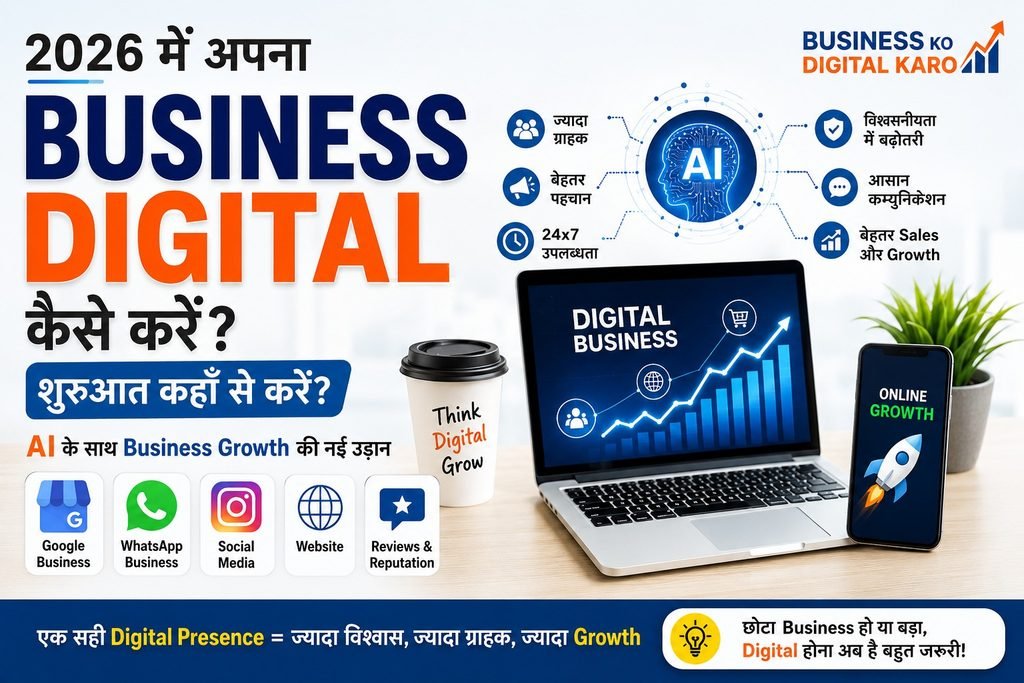
2026 में अपना Business Digital कैसे करें? Beginners के लिए Complete Guide और AI का Role
आज के समय में सिर्फ एक अच्छी दुकान, office या product होना business growth के लिए हमेशा पर्याप्त नहीं है। Customer का तरीका बदल चुका है। जब किसी व्यक्ति को कोई product, service, restaurant, doctor, coaching institute, manufacturer या किसी अन्य business की जरूरत होती है, तो वह अक्सर सबसे पहले online search करता है।
वह Google पर जानकारी ढूंढ सकता है, social media profiles देख सकता है, YouTube पर videos देख सकता है या WhatsApp के माध्यम से business से संपर्क कर सकता है।
यही कारण है कि आज हर छोटे और बड़े business को अपनी Digital Presence के बारे में सोचना चाहिए।
लेकिन सवाल है:
Business को Digital कैसे करें और शुरुआत कहाँ से करें?
इस blog post में हम beginners के लिए एक आसान roadmap समझेंगे।
Business Digitalisation क्या है?
Business को digital करने का मतलब सिर्फ website बनाना नहीं है।
Digitalisation का मतलब है अपने business की जानकारी, products, services, marketing और customer communication को digital platforms के माध्यम से लोगों तक पहुँचाना।
उदाहरण के लिए, यदि आपका कोई showroom, दुकान, clinic, coaching institute या manufacturing business है, तो आपकी digital presence में शामिल हो सकते हैं:
Google पर Business Information
Google Maps Presence
WhatsApp Business
Social Media Profiles
Business Website
Online Product या Service Information
Customer Reviews
Digital Marketing
Online Customer Communication
AI-powered business tools
जब आपका business इन digital माध्यमों पर सही तरीके से मौजूद होता है, तो लोग आपको online discover करना आसान पाते हैं।
आज Business को Digital करना क्यों जरूरी है?
आज customer पहले की तुलना में ज्यादा जानकारी online ढूंढता है।
मान लीजिए किसी व्यक्ति को अपने शहर में कोई अच्छा restaurant चाहिए या किसी product supplier की तलाश है। वह पहले search कर सकता है।
यदि आपका competitor online दिखाई दे रहा है और आपका business नहीं, तो customer तक पहुँचने का एक अवसर कम हो सकता है।
एक अच्छी digital presence business को इन क्षेत्रों में मदद कर सकती है:
ज्यादा Visibility
आपका business सिर्फ अपनी physical location तक सीमित नहीं रहता।
बेहतर जानकारी
Customer आपके products, services, location और अन्य जानकारी आसानी से समझ सकता है।
Trust बनाने में मदद
सही information, photos, customer reviews और professional online presence trust बनाने में सहायक हो सकती है।
आसान Communication
WhatsApp, email, enquiry forms और अन्य digital माध्यमों से customer आसानी से संपर्क कर सकता है।
नए Growth Opportunities
Digital platforms local, national और कुछ businesses के लिए international audience तक पहुँचने के नए अवसर प्रदान कर सकते हैं।
Beginner Business Owner कहाँ से शुरुआत करे?
अगर आप पहली बार अपने business को digital कर रहे हैं, तो एक साथ सब कुछ करने की जरूरत नहीं है।
धीरे-धीरे एक मजबूत foundation बनाइए।
Step 1: अपनी Business Information तैयार करें
सबसे पहले अपने business की basic जानकारी तैयार करें।
इसमें शामिल हो सकते हैं:
Business Name
Logo
सही Address
Mobile Number
WhatsApp Number
Email Address
Products और Services
Business Description
आपकी USP यानी खासियत
अच्छी Photos
Videos
Customer Reviews
यह information आपकी digital identity की foundation होती है।
ध्यान रखें कि अलग-अलग platforms पर business की महत्वपूर्ण जानकारी सही और consistent होनी चाहिए।
Step 2: Google पर अपने Business की Presence बनाइए
आज बहुत से लोग local businesses को search engines और maps के माध्यम से ढूंढते हैं।
इसलिए अपने business की online information को सही और updated रखना महत्वपूर्ण है।
आपको यह सुनिश्चित करना चाहिए कि आपके business की:
सही Category
सही Address
सही Contact Information
सही Business Timing
Products या Services की जानकारी
Photos
Customer Reviews
उपलब्ध और updated हों।
Online information जितनी स्पष्ट होगी, customer के लिए आपके business को समझना उतना आसान हो सकता है।
Step 3: WhatsApp Business का उपयोग करें
WhatsApp आज business communication का एक महत्वपूर्ण माध्यम बन चुका है।
WhatsApp Business का उपयोग करके आप अपने customer communication को बेहतर तरीके से organize कर सकते हैं।
आप इसका उपयोग कर सकते हैं:
Business Profile बनाने के लिए
Product या Service Information देने के लिए
Catalogue share करने के लिए
Quick Replies के लिए
Customer Enquiries manage करने के लिए
Important updates देने के लिए
लेकिन एक बात महत्वपूर्ण है।
Customer को लगातार unnecessary promotional messages भेजने के बजाय useful और relevant communication पर ध्यान देना चाहिए।
Step 4: सही Social Media Platform चुनें
हर business को हर social media platform पर active होने की जरूरत नहीं होती।
पहले यह समझिए कि आपके customers सबसे ज्यादा कहाँ active हैं।
उदाहरण के लिए:
Restaurant
Food photos, menu highlights, customer experience और special offers useful हो सकते हैं।
Coaching Institute
Educational content, faculty information, student achievements और useful guidance share की जा सकती है।
Manufacturer
Manufacturing process, infrastructure, products, quality standards और business capabilities दिखाई जा सकती हैं।
Service Business
अपने expertise, customer problems और solutions से संबंधित content बनाया जा सकता है।
Social Media पर सिर्फ products बेचने की कोशिश करने के बजाय useful information और trust building पर भी ध्यान देना चाहिए।
Step 5: क्या आपके Business को Website चाहिए?
Website हर business के लिए एक जैसी जरूरत नहीं होती, लेकिन कई businesses के लिए यह एक महत्वपूर्ण digital asset हो सकती है।
Social media platforms आपके control में पूरी तरह नहीं होते, लेकिन आपकी website आपके business की अपनी digital property होती है।
एक अच्छी business website में सामान्यतः शामिल हो सकते हैं:
About Business
Products या Services
आपकी खासियत
Photos और Videos
Contact Details
Enquiry Form
WhatsApp संपर्क
Location Information
Customer Testimonials
अगर आपका लक्ष्य अपने शहर के बाहर या पूरे भारत में customers तक पहुँचना है, तो website और भी उपयोगी हो सकती है।
Business Digitalisation के मुख्य फायदे
- बेहतर Online Visibility
लोग आपके business को online discover कर सकते हैं। - 24×7 Information Availability
Customer अपनी सुविधा के अनुसार आपके products और services के बारे में जानकारी प्राप्त कर सकता है। - Better Customer Communication
Digital tools customer enquiries और communication को व्यवस्थित करने में मदद कर सकते हैं। - Brand Building
एक consistent online presence आपके business की पहचान मजबूत करने में मदद कर सकती है। - Marketing Opportunities
Content, search visibility, social media और other digital marketing activities के माध्यम से नए लोगों तक पहुँचने के अवसर मिल सकते हैं।
AI Business में क्या Role निभा सकती है?
Artificial Intelligence यानी AI तेजी से business के काम करने के तरीके को बदल रही है।
अब केवल बड़ी कंपनियां ही नहीं, बल्कि छोटे और मध्यम businesses भी AI tools का उपयोग कर सकते हैं।
AI का उपयोग कई कामों में किया जा सकता है।
Content Ideas
AI social media posts, blog topics और video ideas generate करने में मदद कर सकती है।
Product Descriptions
E-commerce और product-based businesses product descriptions के शुरुआती drafts तैयार करने के लिए AI का उपयोग कर सकते हैं।
Customer Communication
Frequently asked questions के जवाब और communication templates तैयार किए जा सकते हैं।
Market Research
AI tools नए ideas, customer questions और market-related information को organize करने में मदद कर सकते हैं।
Images और Video Planning
AI creative concepts, scripts, captions और video ideas विकसित करने में सहायता कर सकती है।
लेकिन एक बात हमेशा याद रखें:
AI एक tool है। Final decision, creativity और business understanding इंसान की ही जरूरत होती है।
AI द्वारा बनाई गई information को check और edit करना जरूरी है।
Business Digitalisation की सबसे बड़ी गलती
बहुत से लोग शुरुआत में एक साथ बहुत सारे काम करने लगते हैं।
वे website, Instagram, Facebook, YouTube और paid advertising—सब कुछ एक साथ शुरू कर देते हैं।
लेकिन उनके पास कोई स्पष्ट strategy नहीं होती।
इसलिए शुरुआत में एक simple plan बनाइए।
पहले अपनी business information तैयार करें।
फिर relevant digital platforms चुनें।
फिर useful content बनाना शुरू करें।
फिर customer response को समझें।
और धीरे-धीरे अपनी strategy को improve करें।
Beginners के लिए 30-Day Business Digitalisation Plan
पहले 7 दिन: Foundation तैयार करें
अपने business की पूरी जानकारी, photos, logo, contact details और services को organize करें।
अगले 7 दिन: Digital Presence
अपने business के लिए relevant online profiles और communication channels तैयार करें।
तीसरे 7 दिन: Content बनाइए
अपने business के बारे में useful content तैयार करें।
उदाहरण:
हमारा business क्या करता है?
हमारी खासियत क्या है?
हमारे products कौन-कौन से हैं?
Customers हमें क्यों चुनें?
हमारे industry से जुड़े useful tips
अंतिम 7 दिन: Review और Improvement
देखें कि:
लोग किस प्रकार का response दे रहे हैं?
कौन से questions ज्यादा पूछे जा रहे हैं?
किस content में ज्यादा interest दिखाई दे रहा है?
इन observations के आधार पर अगले महीने की strategy improve करें।
शुरुआत करने के लिए Perfect होने का इंतजार मत कीजिए
बहुत से business owners शुरुआत इसलिए नहीं करते क्योंकि वे perfect logo, perfect website या perfect social media strategy का इंतजार करते रहते हैं।
लेकिन Digital Growth में सबसे महत्वपूर्ण है:
Start करें, सीखें और लगातार Improve करें।
आपको पहले दिन expert बनने की जरूरत नहीं है।
छोटे कदम से शुरुआत कीजिए और धीरे-धीरे अपनी digital presence को मजबूत बनाइए।
निष्कर्ष
आज का सवाल सिर्फ यह नहीं है कि आपका business कितना अच्छा है।
सवाल यह भी है:
क्या आपका business उन लोगों को online दिखाई दे रहा है जिन्हें आपके product या service की जरूरत है?
Business को digital करना एक दिन का काम नहीं है। यह एक continuous journey है।
पहले अपनी digital identity बनाइए।
सही platforms चुनिए।
अपने customers को समझिए।
Useful content तैयार कीजिए।
नई technologies और AI का सही उपयोग कीजिए।
और step-by-step अपने business को digital growth की तरफ ले जाइए।
Business छोटा हो सकता है, लेकिन आपकी Digital सोच छोटी नहीं होनी चाहिए।
Business Ko Digital Karo — सीखिए, समझिए और अपने Business को Digital Growth की तरफ ले जाइए। 🚀
Contact Us
Address: 621, Mukesh Plaza, Near S.S. Dairy, Dadabari, Kota (Raj.)
Call/Whatsapp: 9828036274
Email: Online@kotapride.com
Website:
www.kotapride.com
www.websoftcreation.in
www.kotaprideacademyonline.com
google buisness profile link for kotapride kota: https://maps.app.goo.gl/iWQE5h56qioeXakw5
Follow Us on Social Media:
https://www.facebook.com/kota.pride.3
https://www.facebook.com/digitalmarketingexpertsinkota
https://www.facebook.com/Letsfollowcybersafetytips
https://www.instagram.com/kotapride/https://www.linkedin.com/in/digital-marketing-in-kota-rajasthan-4a8a4616a/