
logotype
  • Home
  • About Us
  • Our Courses
  • Learn
    • Social Media Marketing Skill Courses
    • Professional Digital Marketing Course
    • Opportunities in Digital Marketing
  • FAQ`s
  • Blog
  • Contact

No products in the cart.

LoginJoin Now
logotype
  • Home
  • About Us
  • Our Courses
  • Learn
    • Social Media Marketing Skill Courses
    • Professional Digital Marketing Course
    • Opportunities in Digital Marketing
  • FAQ`s
  • Blog
  • Contact

No products in the cart.

LoginJoin Now
  • Home
  • About Us
  • Our Courses
  • Learn
    • Social Media Marketing Skill Courses
    • Professional Digital Marketing Course
    • Opportunities in Digital Marketing
  • FAQ`s
  • Blog
  • Contact
logotype
Login  /  Join
logotype
  • Home
  • About Us
  • Our Courses
  • Learn
    • Social Media Marketing Skill Courses
    • Professional Digital Marketing Course
    • Opportunities in Digital Marketing
  • FAQ`s
  • Blog
  • Contact
September 2026
Home 2026
Digital Marketing ServiceskotapridekotaSeptember 22, 2026
Share article:TwitterFacebookPinterestLinkedin
16 Views
1 Like

AI – The Magic Lamp of Today: How to Use Artificial Intelligence Wisely, Creatively and Safely

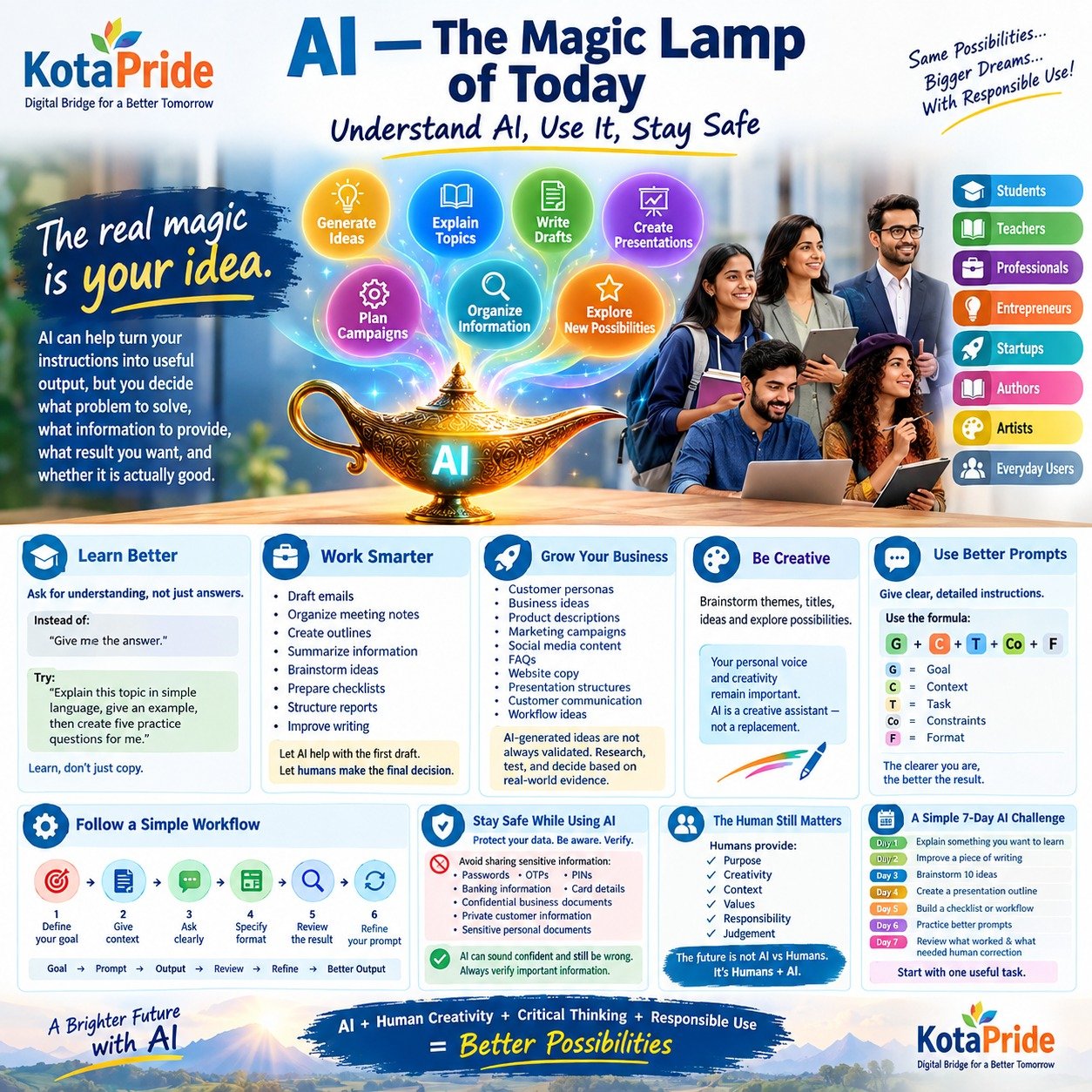
AI — The Magic Lamp of Today: Understand AI, Use It, Stay Safe
Artificial Intelligence is no longer just a technology discussed by scientists and large technology companies. It has become a practical tool that students, teachers, professionals, entrepreneurs, startups, authors, artists, and everyday users can explore.
But there is an important question:
Are we using AI wisely—or simply using it because it is available?
The answer matters because AI can make our work faster, but good results still depend on human thinking, creativity, judgement, and responsibility.
AI Is Like a Modern Magic Lamp
Imagine having a magic lamp that can help you generate ideas, explain difficult topics, write drafts, organize information, create presentations, plan marketing campaigns, and explore new possibilities.
That is one way to understand modern AI.
But there is an important difference.
The real magic is not AI. The real magic is your idea.
AI can help turn your instructions into useful output, but you decide what problem to solve, what information to provide, what result you want, and whether the final answer is actually good.
AI Can Help You Learn
For students, AI can be used as a learning assistant.
Instead of simply asking:
“Give me the answer.”
Try asking:
“Explain this topic in simple language, give me an example, then create five practice questions for me.”
This approach encourages learning rather than simply copying an answer.
Teachers can also use AI to brainstorm lesson activities, create question banks, prepare explanations, organize ideas, and develop different ways of presenting a topic.
However, educational content should always be reviewed for accuracy and suitability.
AI for Professionals and Office Work
AI can help professionals with many everyday tasks, such as:
Drafting emails
Organizing meeting notes
Creating outlines
Summarizing approved information
Brainstorming ideas
Preparing checklists
Structuring reports
Improving the clarity of writing
The goal should not be to let AI replace your judgement.
Instead:
Let AI help with the first draft. Let humans make the final decision.
AI for Entrepreneurs and Startups
For entrepreneurs and startups, AI can become a useful brainstorming and productivity partner.
You can use it to explore:
Customer personas
Business ideas
Product descriptions
Marketing campaigns
Social media content
Frequently asked questions
Website copy
Presentation structures
Customer communication
Workflow ideas
But AI-generated business ideas are not automatically validated business opportunities.
You still need to understand your customers, research your market, test assumptions, and make decisions based on real-world evidence.
The Secret Is Better Prompts
One of the most useful AI skills is learning how to give clear instructions.
A vague prompt may produce a generic answer.
Instead of:
“Write a marketing plan.”
Try:
“Create a simple 30-day digital marketing plan for a small local business. The target audience is adults aged 25–45. Include social media content ideas, weekly goals, and a simple measurement checklist. Keep the language practical and beginner-friendly.”
The second instruction gives AI more context.
A useful formula is:
Goal + Context + Task + Constraints + Format
The more clearly you communicate your requirements, the easier it becomes to review and improve the output.
AI for Authors, Poets and Creators
AI can also support creative people.
Authors may use AI to brainstorm themes, organize chapters, explore titles, or review the structure of a draft.
Poets may experiment with ideas, imagery, themes, or different creative directions.
Artists and other creators may use AI to explore concepts and possibilities.
But your personal voice and creativity remain important.
AI should be a creative assistant—not a replacement for your identity as a creator.
How to Get Better Results From AI
A simple workflow can make a big difference:

  1. Define your goal
    What exactly do you want?
  2. Give context
    Explain the situation, audience, background, or requirements.
  3. Ask clearly
    Tell AI what task it should perform.
  4. Specify the format
    For example: table, checklist, article, presentation outline, email, or step-by-step guide.
  5. Review the result
    Look for errors, missing information, inappropriate assumptions, or unsupported claims.
  6. Refine your prompt
    Tell AI what should be changed and try again.
    This creates a useful cycle:
    Goal → Prompt → Output → Review → Refine → Better Output
    Stay Safe While Using AI
    AI safety is just as important as AI productivity.
    Avoid entering sensitive information into AI tools unless you understand how that service handles your information and you are authorized to share it.
    Be especially careful with:
    Passwords
    OTPs
    PINs
    Banking information
    Credit/debit card details
    Confidential business documents
    Private customer information
    Sensitive personal documents
    And remember:
    AI can sound confident and still be wrong.
    Always verify important information before using it for decisions, publishing, education, business, legal matters, financial matters, or other high-impact situations.
    The Human Still Matters
    AI can generate text.
    AI can analyze information.
    AI can help organize ideas.
    AI can support creativity.
    But humans provide:
    Purpose. Creativity. Context. Values. Responsibility. Judgement.
    That is why the future is not simply about AI replacing humans.
    A more useful question is:
    How can humans use AI responsibly to become more capable?
    A Simple 7-Day AI Challenge
    Want to start?
    Try this:
    Day 1: Ask AI to explain something you want to learn.
    Day 2: Use AI to improve a piece of writing.
    Day 3: Ask AI to brainstorm 10 ideas.
    Day 4: Create a simple presentation outline.
    Day 5: Build a useful checklist or workflow.
    Day 6: Practice writing better prompts.
    Day 7: Review what worked—and what required human correction.
    Don’t try to master everything at once.
    Start with one useful task.
    Final Thought
    Artificial Intelligence can open incredible possibilities—but technology is only part of the equation.
    AI + Human Creativity + Critical Thinking + Responsible Use = Better Possibilities
    Use AI as a tool.

Contact Us

Address: 621, Mukesh Plaza, Near S.S. Dairy, Dadabari, Kota (Raj.)
Call/Whatsapp: 9828036274
Email: Online@kotapride.com
Website: www.kotapride.com | www.kotaprideacademyonline.com

google buisness profile link for kotapride kota: https://maps.app.goo.gl/iWQE5h56qioeXakw5

Follow Us on Social Media:

https://www.facebook.com/kota.pride.3

https://www.facebook.com/digitalmarketingexpertsinkota

https://www.facebook.com/Letsfollowcybersafetytips

https://www.instagram.com/kotapride

https://www.linkedin.com/in/digital-marketing-in-kota-rajasthan-4a8a4616a
READ MORE
Digital Marketing Skill CourseskotapridekotaSeptember 16, 2026
Share article:TwitterFacebookPinterestLinkedin
21 Views
2 Likes

43 Google Tools and AI Tools Every Student, Business Owner & Entrepreneur Should Know

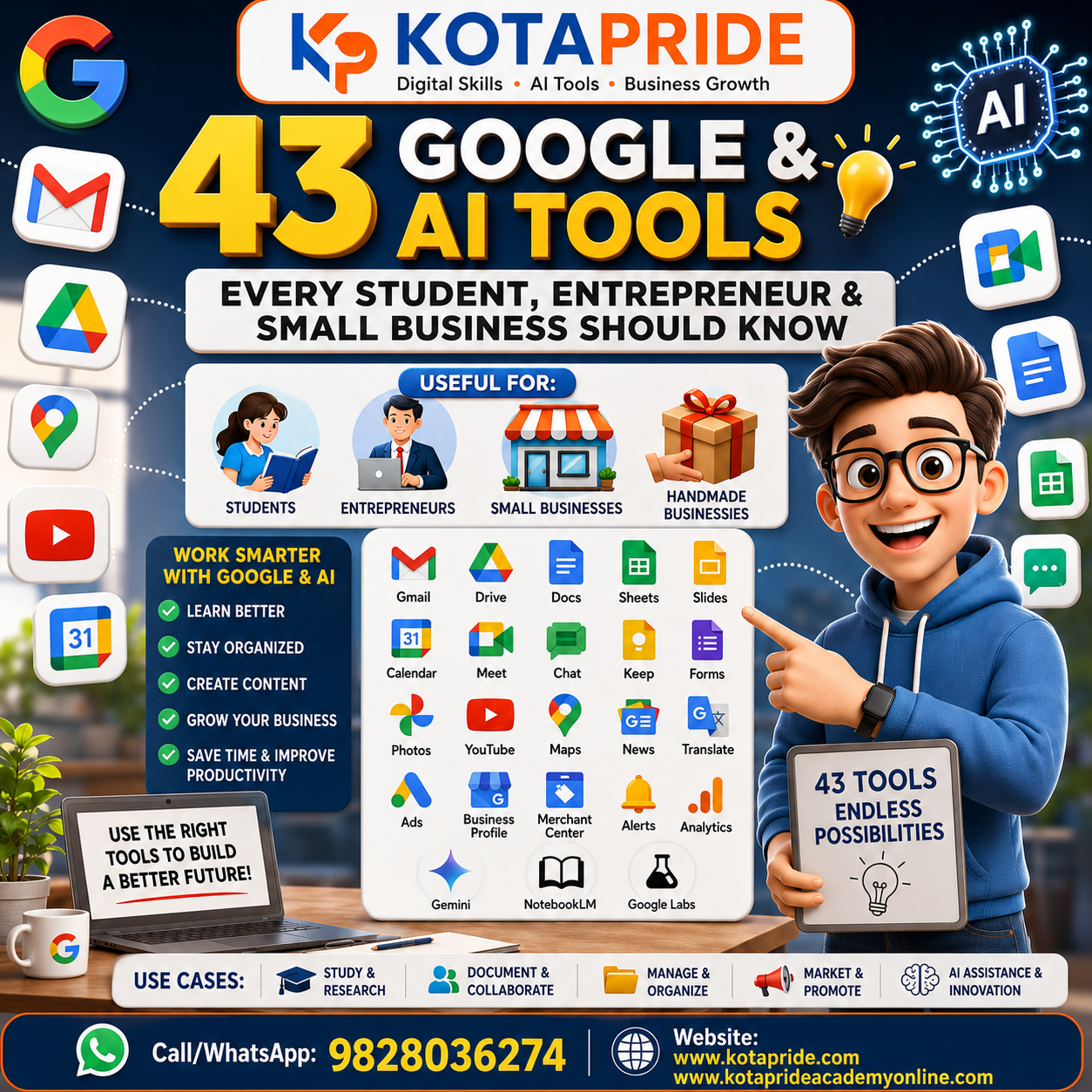
43 Google & AI Tools That Students, Entrepreneurs and Small Businesses Should Know

Today, digital tools are no longer limited to large companies or technology professionals. Students, entrepreneurs, small business owners, handmade product sellers, professionals and home-based businesses can also use digital tools to learn, communicate, organize information, promote products and build an online presence.

Google offers a wide range of tools covering search, communication, productivity, education, business, marketing, cloud storage, content creation and AI.

In this guide, we explore 43 useful Google and AI-related tools and understand how they can be useful in everyday life, education and business.


1. Google Account

A Google Account provides access to many Google services from one account.

Students can use it for Gmail, Drive, Docs, YouTube and other services, while businesses can use it to manage different Google-based digital activities.

Useful for: Students, professionals, entrepreneurs and businesses.


2. Google Search

Google Search is one of the most commonly used tools for finding information online.

Students can research study topics, while business owners can research competitors, products, customers, markets and industry information.

Business use: Market research, competitor research, product research and information discovery.


3. Google Contacts

Google Contacts helps users save and manage contact information.

For a business owner, maintaining customer, supplier and professional contacts in an organized way can be useful for regular communication.


4. Google Business Profile

Google Business Profile is an important digital presence tool for businesses.

A business can provide information such as its business name, location, contact details, website, services, photos and other information that can appear on Google Search and Maps.

Useful for:
Local businesses, shops, manufacturers, service providers, coaching institutes, restaurants, professionals and small businesses.


5. Google Maps

Google Maps helps users find places, businesses, addresses and directions.

For businesses, being discoverable through Maps can help potential customers find their location and business information.

Example: A handmade jewellery business with a physical studio can make it easier for nearby customers to discover the business.


6. YouTube

YouTube is a video platform where users can watch, create, upload and share videos.

Students can use it for educational learning, while businesses can create educational, product-related or informational content.

Business opportunities include:

  • Product education
  • Tutorials
  • Customer education
  • Brand awareness
  • Business information

7. Google Play Store

Google Play Store allows Android users to discover, download and update applications and other digital content.

Students and business owners can use relevant apps to support their daily digital activities.


8. Gmail

Gmail is Google’s email service.

Students can use Gmail for education and communication, while entrepreneurs can use professional email communication for customers, suppliers, enquiries and business relationships.

Business use:
Customer communication, enquiry management, document sharing and professional correspondence.


9. Google Drive

Google Drive provides cloud storage for digital files.

A small business can use it to organize:

  • Product photographs
  • Documents
  • Price lists
  • Business presentations
  • Marketing material
  • Customer-related files

It can also make file sharing and collaboration easier.


10. Google Gemini

Google Gemini is an AI assistant that can support users with tasks such as writing, brainstorming, learning, summarization and information-related activities.

For Students

Students can use AI to:

  • Understand difficult concepts
  • Generate study questions
  • Summarize information
  • Brainstorm project ideas

For Businesses

Entrepreneurs can use AI for:

  • Content ideas
  • Marketing brainstorming
  • Business communication
  • Drafting content
  • Research assistance

AI output should still be reviewed for accuracy and relevance before being used professionally.


11. Google Calendar

Google Calendar helps users manage events, meetings, appointments and schedules.

For entrepreneurs and small business owners, it can help organize:

  • Customer meetings
  • Team meetings
  • Follow-ups
  • Important business dates
  • Appointments

12. Google News

Google News helps users discover news and updates from different sources.

Students can use it for current affairs and research, while business owners can follow industry developments, markets and business-related news.


13. Google Photos

Google Photos can help users manage and organize photos and videos.

For a handmade product business, organized product photography is particularly useful for maintaining a digital product collection and preparing content for online promotion.


14. Google Meet

Google Meet can be used for online meetings, classes, discussions and communication.

It can be useful for:

  • Online classes
  • Client meetings
  • Business discussions
  • Team communication
  • Training sessions

15. Google Translate

Google Translate helps users translate content between languages.

This can be useful for students learning languages and businesses communicating with customers or audiences who use different languages.

For example, a handmade product seller targeting customers outside their region may use translation as an initial communication aid.


16. Google Vids

Google Vids is designed for creating and editing video-based business content.

It can be useful for:

  • Presentations
  • Internal communication
  • Educational content
  • Business storytelling

17. Google Sheets

Google Sheets is a spreadsheet tool useful for managing and analyzing information.

A small business can use Sheets for:

  • Product lists
  • Customer records
  • Sales tracking
  • Expense tracking
  • Inventory information
  • Marketing data

For students, it can also be useful for assignments, calculations and data analysis.


18. Google Docs

Google Docs allows users to create and edit online documents.

Students can use it for:

  • Assignments
  • Notes
  • Projects
  • Research documents

Businesses can use it for:

  • Business proposals
  • Content writing
  • Reports
  • Meeting notes
  • Business documentation

19. Google Slides

Google Slides is useful for creating presentations.

Entrepreneurs can use presentations for:

  • Business proposals
  • Product presentations
  • Training
  • Client meetings
  • Business ideas

Students can use it for academic projects and presentations.


20. Google One

Google One provides additional cloud storage and other benefits for supported Google services.

For users who manage large amounts of documents, photographs and digital files, additional storage can be useful.


21. Google Shopping

Google Shopping helps users discover products and compare available products, prices and sellers.

For product-based businesses, it can be one part of the broader online product discovery ecosystem.

Useful for: Handmade products, fashion, lifestyle products, retail products and other product businesses.


22. Google Store

Google Store is Google’s online store for Google hardware and related products, depending on the market.

It is mainly useful for people researching or purchasing supported Google products.


23. Google Finance

Google Finance provides financial and market-related information.

Students can use it to learn about financial markets, while entrepreneurs can monitor relevant market and company information.


24. Google Keep

Google Keep is a simple tool for creating and organizing notes, ideas and reminders.

An entrepreneur can quickly note:

  • Business ideas
  • Customer requirements
  • Content ideas
  • Product ideas
  • Meeting points
  • Follow-up reminders

25. My Ad Center

My Ad Center allows users to manage certain Google advertising preferences.

Understanding advertising preferences can also help students and marketers learn more about how personalized advertising experiences work.


26. Google Classroom

Google Classroom is designed for teaching and learning activities.

Teachers and students can use it for:

  • Classes
  • Assignments
  • Study material
  • Announcements
  • Submissions

It can be particularly useful for digital education and online learning environments.


27. Google Chat

Google Chat supports text-based communication and collaboration.

Businesses can use suitable communication tools to coordinate with teams and manage day-to-day discussions.


28. Google Earth

Google Earth allows users to explore different locations through maps, satellite imagery and 3D experiences.

Student Use

It can make geography and location-based learning more interactive.

Business Use

It can help users understand locations, geography and different regions when conducting general research.


29. Google Saved

Google Saved allows users to save useful content discovered through Google.

A student can save useful research resources, while a business owner can save useful websites, places or other information for future reference.


30. Google Arts & Culture

Google Arts & Culture provides access to artworks, cultural collections, museums and historical information.

Students can use it as a learning and exploration resource, particularly for subjects related to art, culture and history.


31. Google Ads

Google Ads is Google’s online advertising platform.

Businesses can use advertising campaigns to promote products and services and reach audiences through Google’s advertising ecosystem.

Example

A handmade candle business could use online advertising to promote its products to relevant audiences and direct interested users toward its website or other business destination.


32. Google Merchant Center

Google Merchant Center helps businesses manage product information for Google’s shopping-related experiences.

This can be relevant to businesses that sell physical products online.

Examples

  • Handmade products
  • Clothing
  • Jewellery
  • Home décor
  • Lifestyle products
  • Retail products

Accurate product information, images and pricing are important for product visibility.


33. Google Travel

Google Travel provides tools and information that can help users research and plan trips.

Students, professionals and entrepreneurs can use travel-related digital tools when planning journeys for education, work or business purposes.


34. Google Learn

Google’s learning resources can help users explore different topics and develop knowledge and skills.

For students and beginners, digital learning resources can be useful for continuous learning beyond traditional classrooms.


35. Google Books

Google Books helps users search and discover books and book-related information.

Students can use it for:

  • Finding books
  • Exploring subjects
  • Research
  • Discovering educational resources

36. Chrome Web Store

Chrome Web Store provides browser extensions and themes for Google Chrome.

Extensions can add different functionalities to the browser and support various workflows.

For example, students, marketers and professionals can use relevant extensions for productivity and research.


37. Google Password Manager

Google Password Manager helps users manage saved passwords and supported passkeys.

Good password management is an important part of digital safety.

Students and business owners should avoid using weak or repeated passwords across important accounts.


38. Google Alerts

Google Alerts can notify users when new online content related to selected topics becomes available.

Business Use

A business owner can monitor topics related to:

  • Industry
  • Brand
  • Products
  • Competitors
  • Market developments

Student Use

Students can monitor topics related to their studies and research interests.


39. Google Blogger

Blogger is Google’s blogging platform.

A student can use a blog to practice writing and publishing, while an entrepreneur can use blogging as part of a broader content strategy.

Business Blogging Can Help With:

  • Educational content
  • Product information
  • Customer questions
  • Industry information
  • Brand communication

40. YouTube Music

YouTube Music is a music streaming service for discovering and listening to music.

It is primarily a personal entertainment and music discovery platform.


41. Google Wallet

Google Wallet can be used to store supported payment cards, passes, tickets and other digital items.

Available features depend on factors such as country, device and supported services.


AI Tools for Students & Businesses

42. NotebookLM

NotebookLM is an AI-powered research and learning tool developed by Google.

It can work with provided sources such as notes and documents to help users understand and explore their material.

Student Uses

Students can use NotebookLM to:

  • Understand study material
  • Summarize provided documents
  • Ask questions about their material
  • Organize learning
  • Explore important information from their sources

Business Uses

Entrepreneurs and small business owners can also use document-based AI workflows for:

  • Understanding business documents
  • Researching provided information
  • Summarizing reports
  • Organizing knowledge
  • Developing content ideas

Educational Content

If a student or content creator wants to create an educational video, NotebookLM can assist in understanding the provided source material and developing ideas or supporting content.


43. Google Labs

Google Labs is a place where users can explore Google’s experimental products, technologies and AI experiences.

The available experiments and features can change over time.

Useful For:

  • Exploring new AI technologies
  • Creative experimentation
  • Content creation
  • Learning about emerging digital tools
  • Exploring new ideas and workflows

For students, it can be an interesting way to understand how new AI technologies are being developed and applied.

For entrepreneurs and creators, experimental AI tools can provide ideas for new digital workflows.


How Students Can Use These Tools

Students do not need to learn all 43 tools at once. They can start with tools that support their daily learning.

Useful Student Workflow

Google Search → Research

Google Docs → Notes & Assignments

Google Drive → File Storage

Google Sheets → Data & Records

Google Slides → Presentations

Google Classroom → Online Learning

Google Meet → Online Classes

NotebookLM → Study Material & Research

Gemini → AI-Assisted Learning & Ideas

This combination can create a practical digital learning environment.


How Small Businesses Can Use These Tools

A small business does not necessarily need a large technology team to start using digital tools.

For example, a handmade product business can build a basic digital workflow:

Google Business Profile
→ Business visibility

Google Maps
→ Location discovery

Google Photos
→ Product photos

Google Drive
→ File organization

Google Sheets
→ Product & business records

Google Docs
→ Business documents

YouTube
→ Educational & product content

Google Ads
→ Paid promotion

Google Merchant Center
→ Product information

Google Analytics/other measurement tools
→ Understanding website performance

AI Tools
→ Ideas, research, content assistance and productivity


How Entrepreneurs Can Use Google & AI Tools

Entrepreneurs can combine different tools according to their business requirements.

For example:

Research → Google Search

Business Presence → Google Business Profile

Communication → Gmail / Google Meet / Google Chat

Documentation → Google Docs

Data Management → Google Sheets

Storage → Google Drive

Content → YouTube / Blogger

Advertising → Google Ads

Product Discovery → Google Shopping / Merchant Center

AI Assistance → Gemini / NotebookLM

The objective is not to use every available tool. The objective is to select the tools that solve a real business, learning or productivity problem.


Google & AI Tools for Handmade Product Businesses

Handmade businesses often start small, sometimes from home or with limited resources. Digital tools can help organize and promote such businesses.

For example, a handmade jewellery, handicraft, candle, pottery, décor or textile business can use:

For Online Presence

Google Business Profile and Google Maps

For Product Information

Google Photos, Docs and Drive

For Product Records

Google Sheets

For Content

YouTube and Blogger

For Product Discovery

Google Shopping and Merchant Center

For Advertising

Google Ads

For AI Assistance

Gemini and NotebookLM

This creates a basic digital ecosystem around the business.


Why Digital Tools Matter for Small Businesses

Digital transformation is not only for large companies.

A small business can gradually build its digital foundation through:

Digital Identity → Online Presence → Content → Customer Discovery → Communication → Enquiries → Business Growth

The right combination of Google and AI tools can help a business organize its digital activities and make technology a practical part of everyday operations.


Final Thoughts

Google and AI tools can support different stages of learning, productivity, communication, marketing and business development.

For students, these tools can support research, learning, documentation and presentations.

For entrepreneurs, they can support research, communication, content and business operations.

For small and handmade product businesses, they can help establish an online presence, organize product information, communicate with customers and explore digital marketing opportunities.

The most important step is to learn these tools practically and use them according to your actual requirements rather than simply collecting a long list of tools.

Digital skills are becoming an important part of modern education and business. Learning how to use the right digital and AI tools can help students, entrepreneurs and small businesses work more efficiently and participate more effectively in the digital world.

READ MORE
Digital Marketing Skill CourseskotapridekotaSeptember 11, 2026
Share article:TwitterFacebookPinterestLinkedin
28 Views
3 Likes

Master Digital Marketing with AI – Professional Skill Course

AI-Powered Digital Marketing Professional Course – 18 Modules for Career & Business Growth

Master Digital Marketing with AI – Professional Skill Course

Learn Digital Marketing, AI, SEO, AEO, GEO, Advertising & Modern Business Growth

Digital Marketing आज केवल Facebook, Instagram या Google Ads तक सीमित नहीं है। Customer का digital journey अब कई platforms और touchpoints से होकर गुजरता है।

एक customer किसी business को पहले Google Search पर खोज सकता है, फिर Google Maps पर location देख सकता है, website पर services पढ़ सकता है, Instagram या Facebook पर brand को check कर सकता है, YouTube पर videos देख सकता है और फिर WhatsApp के माध्यम से enquiry कर सकता है।

इसके साथ Artificial Intelligence और AI-powered search ने digital discovery को और बदल दिया है।

इसी बदलते digital ecosystem को ध्यान में रखते हुए Digital Marketing Professional & AI Growth Master Program को design किया गया है।

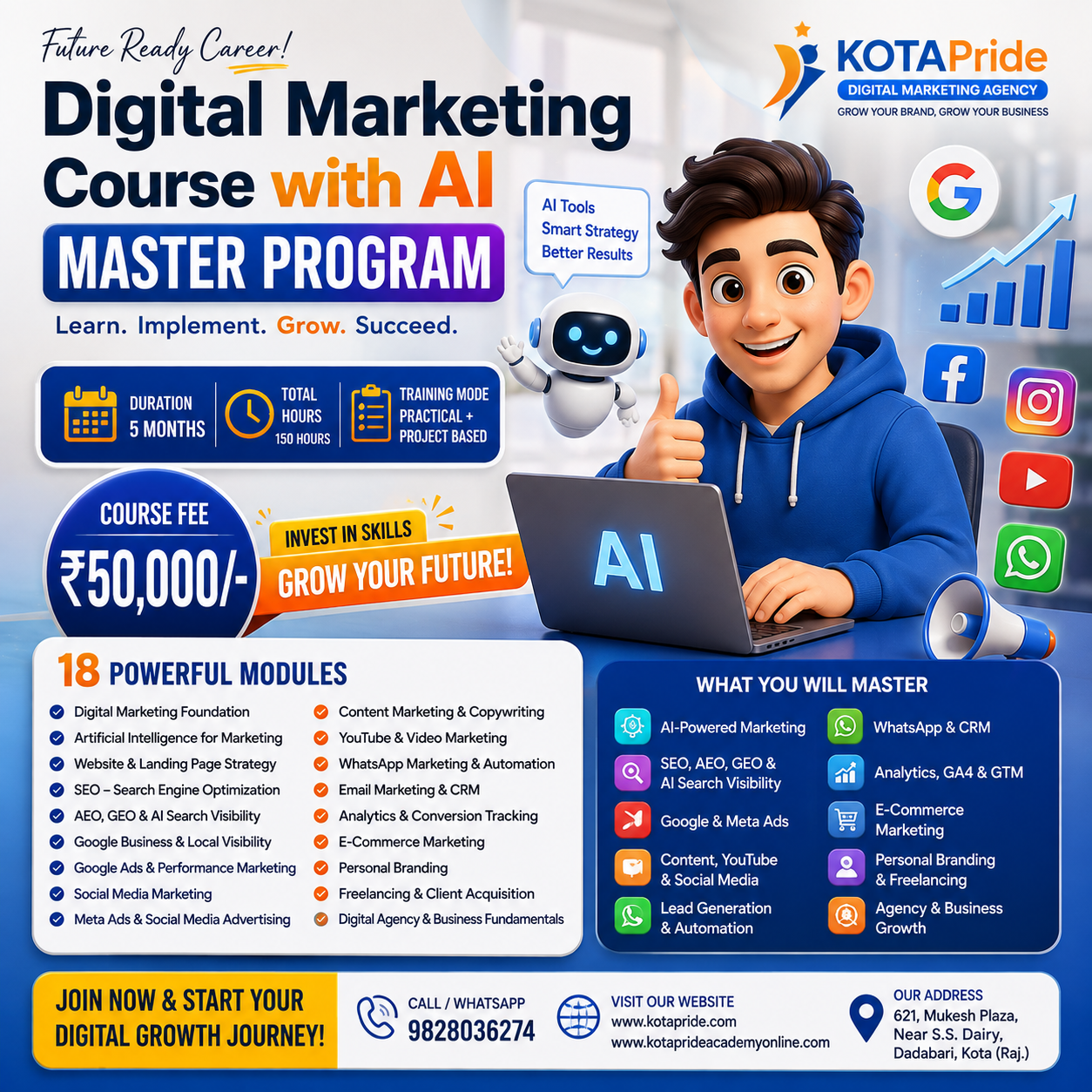
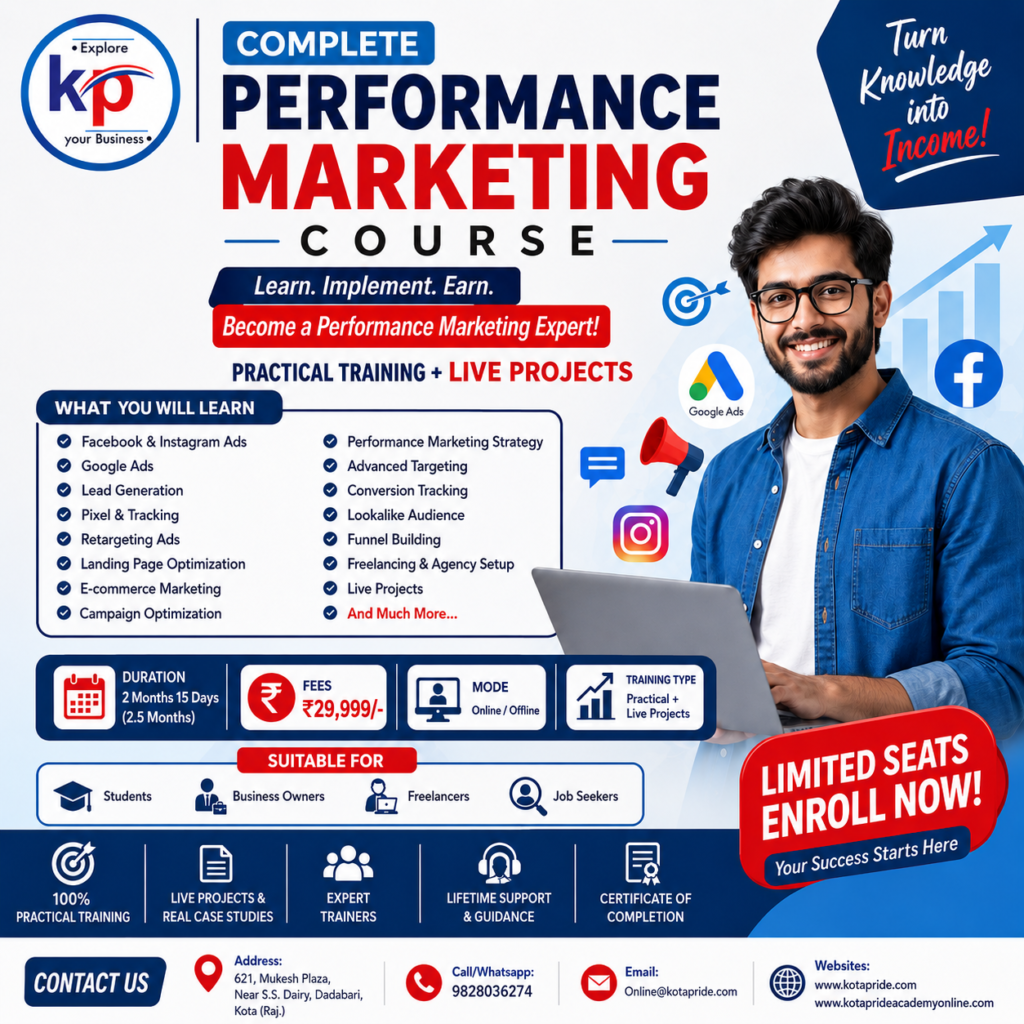
यह 5 Months और 150 Hours का practical और project-based learning program है, जिसकी Course Fee ₹50,000/- है। इसका उद्देश्य learners को Digital Marketing, Artificial Intelligence, Website Strategy, SEO, Semantic SEO, Entity SEO, AEO, GEO, AI Search Visibility, Google Ads, Meta Ads, Social Media, Content Marketing, YouTube, WhatsApp Marketing, CRM, Analytics, E-commerce, Personal Branding, Freelancing और Digital Agency Business की comprehensive understanding देना है।


Why Learn Digital Marketing with AI?

आज businesses को सिर्फ online होना पर्याप्त नहीं है। उन्हें उन places पर दिखाई देना जरूरी है जहाँ customers information खोज रहे हैं।

Modern digital visibility का ecosystem कुछ इस तरह समझा जा सकता है:

Business → Website → Search Engine → Google Business → Social Media → YouTube → AI Search → Customer → Lead → Conversion → Repeat Business

इसलिए एक professional digital marketer को अलग-अलग platforms को independently नहीं बल्कि एक connected marketing ecosystem की तरह समझना चाहिए।

AI इस process को research, content planning, analysis, automation और productivity के स्तर पर support कर सकता है।

लेकिन AI के साथ-साथ marketing strategy, customer psychology, search intent, branding, content quality और business understanding भी जरूरी हैं।


18 Complete Learning Modules

इस program में 18 complete learning modules हैं, जो Digital Marketing के foundation से लेकर AI-powered marketing, freelancing और digital agency business तक का structured learning path provide करते हैं।


Module 1 – Digital Marketing Foundation

Digital Marketing सीखने से पहले marketing ecosystem को समझना जरूरी है।

इस module में learners Digital Marketing की basic concepts और business applications को समझते हैं।

Key Topics

  • Digital Marketing Fundamentals
  • Traditional Marketing vs Digital Marketing
  • Digital Marketing Ecosystem
  • B2B Marketing
  • B2C Marketing
  • D2C Marketing
  • Customer Journey
  • Buyer Persona
  • Target Audience Research
  • Competitor Research
  • Digital Marketing Strategy
  • Marketing Funnel
  • Lead Generation Funnel
  • Online Business Models
  • Digital Branding
  • Digital Presence Planning
  • Website, Search, Social Media & Advertising Ecosystem

Practical Perspective

Learner यह समझता है कि किसी business के लिए customer, market, competition, positioning और digital channels को किस तरह एक marketing strategy में connect किया जाए।


Module 2 – Artificial Intelligence for Digital Marketing

Artificial Intelligence modern marketing workflows का important हिस्सा बन चुका है।

इस module का focus AI को केवल content generation tool की तरह इस्तेमाल करने के बजाय marketing research, planning, content, SEO, advertising और productivity workflow में समझना है।

Key Topics

  • AI Fundamentals
  • Generative AI
  • AI Tools for Marketers
  • Prompt Engineering
  • Effective Prompt Writing
  • AI-Assisted Research
  • AI-Assisted Content Planning
  • AI-Assisted Copywriting
  • AI-Assisted SEO
  • AI-Assisted Social Media Marketing
  • AI-Assisted Advertising
  • AI-Assisted Market Research
  • AI Content Workflow
  • AI Productivity Tools
  • AI Automation Fundamentals
  • Human + AI Marketing Workflow
  • Responsible & Ethical Use of AI

Practical Perspective

Learners सीखते हैं कि AI को marketing workflow में strategically कहाँ use करना चाहिए और कहाँ human judgement आवश्यक है।


Module 3 – Website Development & Landing Page Strategy

Website किसी business की digital identity का important foundation हो सकती है।

यह module website को केवल design के रूप में नहीं बल्कि business communication, search visibility और conversion platform के रूप में समझाता है।

Key Topics

  • Website Fundamentals
  • Domain & Hosting
  • Website Structure
  • Business Website Planning
  • WordPress Fundamentals
  • Website Pages
  • Homepage Strategy
  • Service/Product Pages
  • Contact & Enquiry Pages
  • Landing Page Strategy
  • Conversion-Oriented Website Structure
  • CTA Strategy
  • Mobile-Friendly Website
  • Basic Website SEO
  • Website Content Structure
  • Website Speed & User Experience
  • AI-Assisted Website Content Planning

Semantic Connection

Website structure का relationship SEO, content, entities, user experience, conversion और lead generation से समझा जाता है।


Module 4 – Search Engine Optimization (SEO)

SEO यानी Search Engine Optimization का उद्देश्य search engines में website की organic visibility को improve करने की strategy को समझना है।

Modern SEO केवल keyword placement तक सीमित नहीं है। इसमें search intent, content relevance, website structure, technical factors और authority जैसे multiple concepts जुड़े होते हैं।

Key Topics

  • SEO Fundamentals
  • Search Engine Working
  • Keyword Research
  • Search Intent
  • Long-Tail Keywords
  • Competitor Keyword Research
  • On-Page SEO
  • Off-Page SEO
  • Technical SEO Fundamentals
  • Title & Meta Description
  • Heading Structure
  • URL Optimization
  • Internal Linking
  • Image SEO
  • Content Optimization
  • Link Building Fundamentals
  • Backlink Strategy
  • Website Audit
  • SEO Tools
  • SEO Reporting
  • AI-Assisted SEO Workflow

Practical Perspective

Learners keyword से आगे जाकर topic → search intent → content → website page → internal linking → authority → measurement का relationship समझते हैं।


Module 5 – AEO, GEO & AI Search Visibility

Search behaviour अब traditional blue links से आगे बढ़ रहा है।

Users conversational queries और AI-powered search experiences के माध्यम से information प्राप्त कर रहे हैं। इसलिए modern search marketing में AEO, GEO, Semantic SEO और Entity SEO जैसे concepts को समझना महत्वपूर्ण है।

Key Topics

  • AEO – Answer Engine Optimization
  • GEO – Generative Engine Optimization
  • AI Search Fundamentals
  • Generative Search
  • AI Overviews Concepts
  • LLM-Based Search & Discovery
  • Search Beyond Traditional Google Results
  • Semantic SEO
  • Entity SEO
  • Topical Authority
  • Knowledge Graph Fundamentals
  • Structured Business Information
  • Question-Based Content
  • Conversational Search
  • AI-Friendly Content Structure
  • Brand & Entity Recognition
  • AI Search Visibility Strategy
  • Business Visibility Across AI Platforms

Semantic SEO क्या है?

Semantic SEO में search engine को केवल exact keyword नहीं बल्कि topic, context, meaning और related concepts समझने में मदद करने वाली content strategy पर focus किया जाता है।

उदाहरण:

Digital Marketing Course → SEO → Google Search → Content Marketing → Google Ads → Social Media → AI Marketing → Lead Generation → Analytics → Business Growth

ये सभी related concepts एक broader digital marketing topic ecosystem बनाते हैं।

Entity SEO क्या है?

Entity SEO में clearly identifiable entities और उनके relationships को समझना महत्वपूर्ण है।

Digital Marketing training context में relevant entities हो सकते हैं:

  • Digital Marketing
  • Artificial Intelligence
  • SEO
  • Google Search
  • Google Ads
  • Google Business Profile
  • Facebook
  • Instagram
  • Meta
  • YouTube
  • WhatsApp Business
  • Google Analytics
  • Google Tag Manager
  • CRM
  • E-commerce
  • Lead Generation

इस approach का उद्देश्य keyword repetition नहीं बल्कि clear topical relationships और entity understanding develop करना है।


Module 6 – Google Business & Local Business Visibility

Local businesses के लिए Google Business Profile, Google Maps और Local Search महत्वपूर्ण digital discovery channels हो सकते हैं।

Key Topics

  • Google Business Profile Fundamentals
  • Business Information Optimization
  • Category Selection
  • Business Description
  • Products & Services
  • Photos & Updates
  • Google Maps Visibility
  • Customer Reviews
  • Review Management
  • Local Search Strategy
  • Local Keyword Strategy
  • City & Area-Based Visibility
  • Local Business Content
  • Location-Based Search
  • Google Business Performance
  • AI-Assisted Local Visibility
  • Local Discovery Strategy

Semantic & Entity Connection

Local SEO में Business Entity + Location Entity + Service/Product Entity के relationship को समझना महत्वपूर्ण है।

उदाहरण:

Digital Marketing Academy + Kota + Digital Marketing Course


Module 7 – Google Ads & Performance Marketing

Google Ads paid search marketing का एक प्रमुख platform है।

Key Topics

  • Google Ads Fundamentals
  • Search Ads
  • Display Ads
  • YouTube Ads Fundamentals
  • Campaign Structure
  • Keyword Planning
  • Match Types
  • Negative Keywords
  • Ad Copywriting
  • Landing Page Strategy
  • Conversion Tracking
  • Remarketing Fundamentals
  • Audience Targeting
  • Budget Planning
  • Bidding Concepts
  • Automated Bidding Concepts
  • Performance Optimization
  • Campaign Analysis
  • AI-Assisted Advertising
  • Creative Testing
  • First-Party Data & Audience Signals

Practical Marketing Flow

Search Intent → Keyword → Ad → Landing Page → Lead → Conversion → Measurement → Optimization


Module 8 – Social Media Marketing

Social Media Marketing केवल posting तक सीमित नहीं है।

Facebook, Instagram और LinkedIn जैसे platforms को brand awareness, customer engagement, content distribution और business communication के लिए strategically use किया जा सकता है।

Key Topics

  • Social Media Marketing Fundamentals
  • Facebook Marketing
  • Instagram Marketing
  • LinkedIn Marketing
  • Social Media Strategy
  • Profile Optimization
  • Content Planning
  • Content Calendar
  • Organic Growth Strategy
  • Engagement Strategy
  • Community Building
  • Hashtag Strategy
  • Social Media Analytics
  • Social Media Branding
  • Social Search Optimization
  • Instagram & Facebook Search Concepts
  • AI-Assisted Social Media Strategy

Entity Relationship

Brand → Social Profile → Content → Audience → Engagement → Search Discovery → Lead


Module 9 – Meta Ads & Social Media Advertising

Organic social media के साथ paid social advertising भी businesses के लिए important हो सकता है।

Key Topics

  • Meta Ads Fundamentals
  • Facebook Advertising
  • Instagram Advertising
  • Campaign Objectives
  • Audience Research
  • Custom Audiences
  • Lookalike Audiences
  • Retargeting
  • Lead Generation Campaigns
  • Traffic Campaigns
  • Engagement Campaigns
  • Conversion Campaigns
  • Creative Strategy
  • Ad Copy
  • Campaign Budgeting
  • Campaign Testing
  • Performance Analysis
  • AI-Assisted Ad Strategy

Practical Perspective

Audience → Creative → Message → Campaign Objective → Landing/Conversion → Data → Optimisation


Module 10 – Content Marketing & Copywriting

Content digital marketing ecosystem का communication layer है।

Key Topics

  • Content Marketing Fundamentals
  • Content Strategy
  • Content Research
  • Blog Writing
  • SEO Content
  • Website Content
  • Social Media Content
  • Ad Copywriting
  • Marketing Headlines
  • Call-to-Action Writing
  • Storytelling
  • Content Calendar
  • Content Repurposing
  • AI-Assisted Content Creation
  • AI Content Optimization
  • Brand Voice
  • Content Distribution
  • Content Performance Analysis

Semantic Content Strategy

एक strong content strategy में:

Topic → Subtopics → Questions → Entities → Related Concepts → Internal Links → User Intent

को naturally connect किया जा सकता है।


Module 11 – YouTube, Video Marketing & Content Strategy

YouTube digital marketing में search, video discovery, education और brand communication का important platform है।

यह module professional video production के बजाय strategic video marketing पर focus करता है।

Key Topics

  • YouTube Channel Setup
  • YouTube Branding
  • YouTube SEO
  • Keyword Research for YouTube
  • Video Titles
  • Descriptions
  • Tags & Metadata
  • Thumbnail Strategy
  • YouTube Search & Discovery
  • YouTube Shorts Strategy
  • Short-Form Content Strategy
  • Video Content Ideas
  • Video Hooks
  • Video Script Planning
  • Content Repurposing
  • AI-Assisted Video Marketing
  • AI Voice Tools – Introduction
  • AI Video Tools – Marketing Perspective
  • YouTube Analytics
  • Video Performance Strategy

Important: Program में professional video shooting, professional video production, Reel creation या professional video editing शामिल नहीं है। AI video और AI voice tools को marketing और workflow perspective से introduce किया जा सकता है।


Module 12 – WhatsApp Marketing, Lead Generation & Automation

WhatsApp customer communication और lead follow-up के लिए एक important business communication channel बन चुका है।

Key Topics

  • WhatsApp Marketing Fundamentals
  • WhatsApp Business
  • WhatsApp Business API Fundamentals
  • Broadcast Marketing
  • Bulk Messaging Concepts
  • Lead Generation
  • Lead Capture
  • Lead Qualification
  • WhatsApp Communication Strategy
  • Automated Responses
  • Chatbot Fundamentals
  • AI Chatbot Concepts
  • Customer Support Automation
  • Follow-Up Automation
  • Lead Nurturing
  • Sales Funnel
  • WhatsApp + CRM Workflow
  • Marketing Automation Fundamentals

Lead Generation Flow

Advertisement / Search / Social Media → WhatsApp → Conversation → Lead Capture → Qualification → Follow-Up → Conversion


Module 13 – Email Marketing & CRM Fundamentals

Digital marketing में lead generate करना पहला step है। उसके बाद lead management और follow-up भी important होते हैं।

Key Topics

  • Email Marketing Fundamentals
  • Email List Building
  • Lead Management
  • Email Campaign Strategy
  • Email Copywriting
  • Newsletter Strategy
  • Automated Email
  • Lead Nurturing
  • CRM Fundamentals
  • Customer Database
  • Lead Segmentation
  • Lead Scoring
  • Automated Follow-Up
  • Customer Journey
  • Sales Pipeline
  • CRM + Marketing Automation
  • Campaign Performance

Module 14 – Analytics & Conversion Tracking – GA4 & GTM

Digital marketing strategy को improve करने के लिए data और measurement महत्वपूर्ण हैं।

इस module में Google Analytics 4 (GA4), Google Tag Manager (GTM), conversion tracking और marketing performance analysis जैसे concepts शामिल हैं।

Key Topics

  • Digital Marketing Analytics
  • Google Analytics 4 – GA4
  • Google Tag Manager – GTM
  • Website Tracking
  • Event Tracking
  • Conversion Tracking
  • Form & Lead Tracking
  • Campaign Tracking
  • UTM Parameters
  • Traffic Analysis
  • User Behaviour
  • Conversion Rate
  • ROI & ROAS Fundamentals
  • Attribution Fundamentals
  • First-Party Data
  • Marketing Performance Reports
  • Data-Based Marketing Decisions

Marketing Measurement Flow

Traffic → Engagement → Lead → Conversion → Revenue → Analysis → Optimization


Module 15 – E-Commerce Marketing

E-commerce businesses को product discovery से लेकर purchase और customer retention तक multiple digital marketing channels की आवश्यकता होती है।

Key Topics

  • E-commerce Fundamentals
  • E-commerce Business Models
  • Product Research
  • Product Page Optimization
  • Product Descriptions
  • Product SEO
  • Category Structure
  • E-commerce Keyword Research
  • Online Store Marketing
  • Marketplace Marketing Fundamentals
  • Product Discovery
  • Shopping Search Concepts
  • Conversion Optimization
  • Retargeting
  • Customer Reviews
  • E-commerce Analytics
  • AI-Assisted E-commerce Marketing

E-commerce Marketing Ecosystem

Product → Search → Discovery → Product Page → Trust → Advertising → Conversion → Review → Repeat Purchase


Module 16 – Personal Branding & Professional Digital Presence

आज केवल businesses ही नहीं, professionals और entrepreneurs को भी strong digital identity की जरूरत हो सकती है।

Key Topics

  • Personal Branding Fundamentals
  • Digital Identity
  • Professional Profile Optimization
  • LinkedIn Marketing
  • LinkedIn Profile Strategy
  • Professional Content
  • Authority Building
  • Personal Website
  • Portfolio Development
  • Online Reputation
  • Thought Leadership
  • Networking
  • AI-Assisted Personal Branding
  • Professional Digital Presence

Personal Brand Ecosystem

Person → Expertise → Content → Search → Social Media → Authority → Professional Opportunities


Module 17 – Freelancing & Client Acquisition

Digital marketing skills को career के अलावा freelancing और client services में भी apply किया जा सकता है।

Key Topics

  • Freelancing Fundamentals
  • Digital Marketing Services
  • Finding Potential Clients
  • Client Research
  • Lead Generation for Freelancers
  • Client Communication
  • Proposal Preparation
  • Digital Marketing Proposal
  • Pricing Strategy
  • Service Packages
  • Client Presentation
  • Pitching Strategy
  • Follow-Up Strategy
  • Client Onboarding
  • Project Management
  • Reporting to Clients
  • Retainer Model
  • AI-Assisted Client Acquisition
  • AI-Powered Freelancer Workflow

Freelancing Journey

Skill → Portfolio → Prospect Research → Outreach → Proposal → Pitch → Client → Project → Reporting → Retainer


Module 18 – Digital Agency & Business Fundamentals

Digital marketing skills को business model में convert करने के लिए agency fundamentals को समझना useful है।

Key Topics

  • Digital Agency Fundamentals
  • Agency Business Model
  • Service Planning
  • Package Creation
  • Pricing
  • Client Management
  • Lead Generation
  • Sales Process
  • Proposal & Presentation
  • Client Onboarding
  • Team & Workflow Management
  • Marketing Automation
  • AI-Powered Agency Workflow
  • Client Reporting
  • Business Growth Strategy
  • Recurring Revenue Model
  • Digital Consultancy
  • Agency Scaling Fundamentals

Agency Growth Journey

Service → Package → Pricing → Lead Generation → Sales → Client Onboarding → Delivery → Reporting → Retention → Recurring Revenue → Scaling


5-Month Digital Marketing Learning Roadmap

Program को 5 months में structured किया गया है, जिसमें प्रत्येक month के लिए approximately 30 hours का learning roadmap रखा गया है।

Month 1 – Digital Foundation, AI & Website

  • Digital Marketing Foundation
  • Artificial Intelligence
  • Prompt Engineering
  • AI Marketing Tools
  • Website Development
  • Landing Pages
  • Digital Branding
  • Marketing Strategy

Practical Outcome: एक business के लिए complete digital foundation create करना।


Month 2 – SEO, AEO, GEO & Local Visibility

  • SEO
  • Keyword Research
  • On-Page SEO
  • Off-Page SEO
  • Technical SEO
  • Semantic SEO
  • Entity SEO
  • Topical Authority
  • AEO
  • GEO
  • AI Search Visibility
  • Google Business
  • Google Maps
  • Local Business Visibility

Practical Outcome: एक real business के लिए search और AI visibility strategy develop करना।


Month 3 – Performance & Social Media Marketing

  • Google Ads
  • Performance Marketing
  • Meta Ads
  • Facebook Marketing
  • Instagram Marketing
  • LinkedIn Marketing
  • Social Media Strategy
  • Social Search Optimization
  • Audience Targeting
  • Retargeting
  • Campaign Optimization

Practical Outcome: Real digital advertising campaigns को plan और optimise करना।


Month 4 – Content, YouTube, WhatsApp & CRM

  • Content Marketing
  • Copywriting
  • AI Content
  • YouTube Marketing
  • YouTube SEO
  • Short-Form Content Strategy
  • WhatsApp Marketing
  • Lead Generation
  • Chatbot Fundamentals
  • CRM
  • Email Marketing
  • Automation

Practical Outcome: Complete content + lead generation + follow-up system develop करना।


Month 5 – Analytics, E-Commerce, Freelancing & Capstone

  • GA4
  • Google Tag Manager
  • Conversion Tracking
  • Analytics
  • E-commerce Marketing
  • Personal Branding
  • Freelancing
  • Client Acquisition
  • Agency Fundamentals
  • AI-Powered Workflows
  • Final Business Project

Practical Outcome: Complete digital marketing project को plan, execute, measure और present करना।


Practical Projects

Program में business-oriented practical assignments शामिल हैं।

Students निम्न प्रकार के projects पर काम कर सकते हैं:

  • Business Digital Audit
  • Competitor Research
  • Buyer Persona
  • Digital Marketing Strategy
  • Website Structure
  • Landing Page Strategy
  • Keyword Research
  • SEO Audit
  • Semantic & Entity SEO Plan
  • AEO/GEO Content Strategy
  • AI Search Visibility Plan
  • Google Business Optimization Plan
  • Social Media Strategy
  • Content Calendar
  • Google Ads Campaign Planning
  • Meta Ads Campaign Planning
  • YouTube Channel Strategy
  • WhatsApp Lead Generation System
  • CRM & Follow-Up Workflow
  • Analytics & Conversion Tracking
  • Marketing Performance Report

Final Capstone Project

Program के अंत में learners एक real या selected business के लिए complete Digital Growth Strategy develop करते हैं।

Capstone journey में:

Business Research → Digital Business Identity → AI-Assisted Market Research → Website / Landing Page Strategy → SEO Strategy → Semantic + Entity SEO → AEO + GEO → AI Search Visibility → Google Business & Local Visibility → Social Media Strategy → Social Search → Google Ads → Meta Ads → YouTube Strategy → Content Strategy → WhatsApp Lead Generation → CRM & Follow-Up → Analytics & Conversion Tracking → Performance Report → Client Presentation

शामिल हैं।


Skills You Can Develop

Program complete करने के बाद learners निम्न areas में practical skills develop कर सकते हैं:

Digital Marketing Strategy, AI-Assisted Marketing, Prompt Engineering, Website Planning, SEO, Semantic SEO, Entity SEO, AEO, GEO, AI Search Visibility, Google Business Visibility, Google Ads, Meta Ads, Social Media Marketing, Social Search, Content Marketing, Copywriting, YouTube Marketing, WhatsApp Marketing, Lead Generation, CRM, Marketing Automation, Analytics, Conversion Tracking, E-commerce Marketing, Personal Branding, Freelancing, Client Acquisition और Digital Agency Management.


Career Pathways in Digital Marketing

Potential career roles include:

  • Digital Marketing Executive
  • Digital Marketing Specialist
  • SEO Executive
  • SEO Specialist
  • SEO Analyst
  • Semantic SEO Specialist
  • Entity SEO Specialist
  • AEO/GEO Marketing Specialist
  • AI Search Visibility Specialist
  • AI-Assisted Marketing Specialist
  • Social Media Executive
  • Social Media Manager
  • Social Search Specialist
  • Google Ads Specialist
  • Meta Ads Specialist
  • Performance Marketing Executive
  • Content Marketing Executive
  • Content Strategist
  • YouTube Marketing Executive
  • YouTube SEO Executive
  • E-commerce Marketing Executive
  • Digital Marketing Consultant
  • Freelance Digital Marketer
  • Digital Marketing Trainer
  • Marketing Automation Executive
  • Digital Marketing Agency Entrepreneur

Who Should Join This Program?

यह program विभिन्न backgrounds के learners के लिए designed है:

  • Students
  • College Students
  • Job Seekers
  • Working Professionals
  • Entrepreneurs
  • Business Owners
  • Freelancers
  • Career Switchers
  • Homemakers
  • Social Media Professionals
  • Traditional Marketing Professionals
  • Beginners who want to build a Digital Marketing Career

Advanced technical background आवश्यक नहीं है। जरूरी है Digital Marketing, AI, technology और practical business implementation सीखने की इच्छा।


Why Choose an AI-Integrated Digital Marketing Program?

Practical Learning

Digital Marketing को केवल theory से समझना पर्याप्त नहीं है। Practical assignments और business-oriented projects learners को concepts को real-world scenarios से connect करने में मदद करते हैं।

AI-Integrated Curriculum

AI को research, content, SEO, marketing, advertising और business workflows में integrate करना modern digital marketing skill set का important हिस्सा है।

Complete Digital Marketing Ecosystem

यह program Digital Marketing के अलग-अलग components को interconnected framework में समझाता है:

Website + SEO + Semantic SEO + Entity SEO + AEO + GEO + AI Search + Google Business + Google Ads + Social Media + Meta Ads + Content + YouTube + WhatsApp + CRM + Analytics + E-commerce + Personal Branding + Freelancing + Agency Business


Digital Marketing in the AI Era

Future-ready digital marketers को केवल एक platform का specialist बनने के बजाय complete digital ecosystem समझना increasingly useful होगा।

एक modern marketer को यह समझना चाहिए कि:

Customer क्या search करता है?

Google उसे क्या दिखाता है?

AI-powered platforms information को कैसे interpret करते हैं?

Website किस तरह authority और trust communicate करती है?

Social media brand discovery में कैसे contribute करता है?

Advertising leads तक कैसे पहुंचाती है?

WhatsApp और CRM leads को कैसे nurture करते हैं?

Analytics performance को कैसे measure करता है?

यही interconnected thinking Digital Marketing को एक business growth discipline बनाती है।


Course Details

Digital Marketing Professional & AI Growth Master Program

Duration: 5 Months
Total Learning: 150 Hours
Course Fee: ₹50,000/-
Training Mode: Practical + Project-Based Learning
Level: Beginner to Professional

Investment: ₹50,000/-

इस complete professional program में learners को Digital Marketing और AI के साथ modern digital growth ecosystem को structured तरीके से सीखने का अवसर मिलता है।


Start Your Digital Marketing Journey with Kotapride

अगर आप Digital Marketing, Artificial Intelligence, SEO, Semantic SEO, Entity SEO, AEO, GEO, AI Search Visibility, Google Ads, Meta Ads, Social Media Marketing, Content Marketing, YouTube Marketing, WhatsApp Marketing, Lead Generation, CRM, Analytics, E-commerce, Personal Branding, Freelancing और Digital Agency Business को एक structured learning program में सीखना चाहते हैं, तो यह program आपके लिए एक comprehensive digital marketing learning pathway हो सकता है।

KOTAPride Digital Marketing Academy

Call / WhatsApp: 9828036274

Website: www.kotapride.com | www.kotaprideacademyonline.com

Address: 621, Mukesh Plaza, Near S.S. Dairy, Dadabari, Kota (Raj.)

Learn Digital Marketing. Master AI. Understand Modern Search. Build Digital Growth Strategies.

Course Fee: ₹50,000/-

google buisness profile link for kotapride kota: https://maps.app.goo.gl/iWQE5h56qioeXakw5

Follow Kotapride on Social Media:

https://www.facebook.com/Digitalmarketingskillcourseinkota

https://www.facebook.com/kota.pride.3

https://www.facebook.com/digitalmarketingexpertsinkota

https://www.facebook.com/Letsfollowcybersafetytips

https://www.instagram.com/kotapride/https://www.linkedin.com/in/digital-marketing-in-kota-rajasthan-4a8a4616a/

READ MORE
Digital Marketing ServiceskotapridekotaSeptember 10, 2026
Share article:TwitterFacebookPinterestLinkedin
27 Views
2 Likes

Learn Digital Skills, Build Your Career and Stay Safe on the Internet

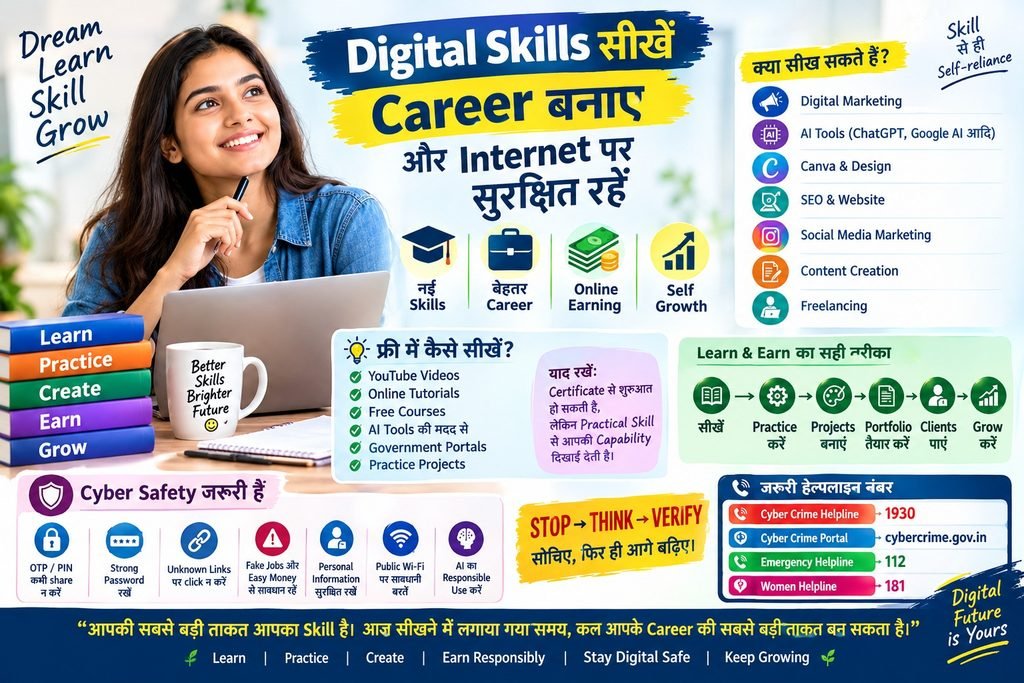
Digital Skills सीखें, Career बनाएं और Internet पर सुरक्षित रहें
आज Internet हमारी जिंदगी का महत्वपूर्ण हिस्सा बन चुका है। हम Internet का इस्तेमाल पढ़ाई, communication, shopping, entertainment, business और information के लिए करते हैं। लेकिन Internet केवल मनोरंजन का माध्यम नहीं है। यह Skills सीखने, Career Development करने, Freelancing समझने और नए Opportunities तलाशने का powerful platform भी बन चुका है।
आज के समय में बहुत से लोग Digital Marketing, Artificial Intelligence, ChatGPT, Canva, Freelancing और Online Earning जैसे शब्द सुनते हैं, लेकिन उनके मन में कई सवाल होते हैं:
Digital Marketing क्या है?
कौन-सी Digital Skills सीखनी चाहिए?
AI सीखने से Career में क्या फायदा होगा?
क्या Free Internet Resources से Skills सीखी जा सकती हैं?
Freelancing क्या है?
क्या Skill सीखते हुए Earning Opportunities तलाश सकते हैं?
और सबसे जरूरी सवाल:
Internet का इस्तेमाल करते समय खुद को Cyber Fraud से कैसे सुरक्षित रखें?
इस blog में इन्हीं सवालों को आसान भाषा में समझते हैं।

Digital Marketing क्या है?
Digital Marketing का अर्थ है Internet और Digital Platforms की मदद से किसी business, product, service, brand या व्यक्ति को लोगों तक पहुंचाना।
Digital Marketing में कई अलग-अलग skills शामिल होती हैं, जैसे:
Search Engine Optimization (SEO)
Social Media Marketing
Content Marketing
Google Business Profile
Online Advertising
Email Marketing
WhatsApp Marketing
Website Marketing
Video Marketing
Lead Generation
Analytics
Online Reputation Management
AI-assisted Marketing
Digital Marketing केवल Social Media पर पोस्ट करने तक सीमित नहीं है।
यह समझने की skill है कि Customer कौन है, वह क्या चाहता है, वह Internet पर कहाँ मौजूद है और सही message को सही audience तक कैसे पहुंचाया जाए।

Career Development में Skills क्यों जरूरी हैं?
आज Career केवल Degree या Certificate पर निर्भर नहीं है। Practical Skills भी बहुत महत्वपूर्ण भूमिका निभाती हैं।
मान लीजिए किसी व्यक्ति ने Digital Marketing का course किया है, लेकिन उसे practical campaign बनाना, content तैयार करना, SEO समझना या किसी business की online presence manage करना नहीं आता।
दूसरी तरफ कोई व्यक्ति इन skills को practically इस्तेमाल करना जानता है और sample projects भी बना चुका है।
ऐसे व्यक्ति के पास अपनी capability दिखाने के लिए ज्यादा practical evidence हो सकता है।
इसलिए:
Certificate + Knowledge + Practical Skills + Experience = Stronger Career Foundation
Certificate learning की शुरुआत हो सकता है, लेकिन practical skill आपकी capability को demonstrate करने में मदद करती है।

AI Skills क्यों सीखनी चाहिए?
Artificial Intelligence ने Digital World में काम करने के तरीकों को तेजी से बदल दिया है।
आज AI tools का उपयोग brainstorming, research assistance, writing, content ideas, productivity, presentations, design assistance और कई दूसरे कामों में किया जा सकता है।
ChatGPT जैसे tools learning और idea generation में मदद कर सकते हैं।
Canva जैसे platforms design और visual content creation को beginners के लिए आसान बना सकते हैं।
Google के AI tools भी अलग-अलग learning और productivity use cases में सहायता कर सकते हैं।
लेकिन एक बात समझना बहुत जरूरी है:
AI कोई जादू नहीं है।
AI को सही तरीके से इस्तेमाल करने के लिए human understanding जरूरी है।
अगर आपको Marketing की basic knowledge है, तो आप AI को marketing tasks में बेहतर तरीके से इस्तेमाल कर सकते हैं।
अगर आपको Design की समझ है, तो AI और design tools का ज्यादा प्रभावी उपयोग कर सकते हैं।
इसलिए आने वाले समय में एक powerful combination हो सकता है:
Human Skills + Digital Skills + AI Skills

Free Internet से Skills सीखने की शुरुआत कैसे करें?
Beginners के लिए सबसे अच्छी बात यह है कि Internet पर बहुत सारे learning resources उपलब्ध हैं।
आप शुरुआत कर सकते हैं:
Free educational videos से
Official tutorials से
Blogs और articles से
Online documentation से
Free webinars से
AI tools की मदद से
Free versions of digital platforms से
Practical projects से
शुरुआत में आपको हर expensive software खरीदने की जरूरत नहीं है।
पहले available resources से सीखिए।
फिर जब आपकी skill और requirements बढ़ें, तब paid tools या professional resources में investment कीजिए।
पहले सीखिए, फिर जरूरत के अनुसार invest कीजिए।

Beginners के लिए कौन-सी Digital Skills उपयोगी हो सकती हैं?
हर व्यक्ति की career goal अलग होती है, इसलिए सभी को एक जैसी skills सीखने की जरूरत नहीं है।
लेकिन beginners इन areas को explore कर सकते हैं:

  1. Digital Marketing
    Business को Internet पर promote करना और customers तक पहुंचना सीखें।
  2. SEO
    Search Engines में website और content की visibility को improve करने के principles समझें।
  3. Social Media Marketing
    Social platforms पर content, audience और business communication को समझें।
  4. Content Creation
    Articles, social media content, videos, presentations और अन्य digital content बनाना सीखें।
  5. Canva और Design
    Basic graphic design और visual communication सीखें।
  6. AI Tools
    AI को research, content, productivity और creative workflows में responsibly इस्तेमाल करना सीखें।
  7. Website Skills
    Website, landing page, blog और online business presence की basics समझें।
  8. Communication Skills
    Client और customer से clear communication करना सीखें।
    इन skills को धीरे-धीरे एक-दूसरे के साथ जोड़ा जा सकता है।

Freelancing क्या है?
Freelancing का मतलब है अपनी skills या services को अलग-अलग clients को provide करना।
Freelancer किसी एक organization का permanent employee होना जरूरी नहीं है।
Digital freelancer services दे सकता है, जैसे:
Content Writing
Graphic Design
Social Media Management
SEO
Digital Marketing
Website Development
Video Editing
Presentation Design
Online Research
AI-assisted Content Services
लेकिन freelancing को “easy money” समझना सही नहीं है।
एक successful freelancer बनने के लिए चाहिए:
Skill + Practice + Portfolio + Communication + Client Acquisition + Consistency

क्या Skills सीखते हुए Earning शुरू की जा सकती है?
हाँ, लेकिन realistic expectations के साथ।
Internet पर बहुत सारे लोग “जल्दी पैसे कमाने” के promises करते हैं। ऐसे claims से सावधान रहना चाहिए।
सही approach है:
Learn → Practice → Create → Build Portfolio → Gain Experience → Find Opportunities → Grow
उदाहरण के लिए अगर आपने Canva सीखा है, तो पहले अलग-अलग businesses के लिए sample designs बनाइए।
अगर आपने Digital Marketing सीखी है, तो किसी imaginary business के लिए complete marketing strategy बनाइए।
अगर आपने AI tools सीखे हैं, तो AI-assisted content, research या productivity के sample projects तैयार कीजिए।
इन projects को portfolio में दिखाया जा सकता है।
फिर internships, jobs, freelance projects या local business opportunities तलाश सकते हैं।

Students के लिए Digital Skills का महत्व
Students को केवल परीक्षा और certificate पर ध्यान देने के साथ-साथ practical skills पर भी ध्यान देना चाहिए।
एक student शुरुआत में:
एक skill चुन सकता है।
Free resources से सीख सकता है।
रोज practice कर सकता है।
Sample projects बना सकता है।
Portfolio तैयार कर सकता है।
Internship या छोटे projects तलाश सकता है।
Feedback लेकर अपनी skill improve कर सकता है।
इस तरह learning धीरे-धीरे practical experience में बदल सकती है।

Homemakers और Career Restart करने वालों के लिए Opportunities
Digital skills उन लोगों के लिए भी उपयोगी हो सकती हैं जो flexible work opportunities तलाश रहे हैं।
अपनी skills और circumstances के अनुसार कोई व्यक्ति:
Content Creation
Graphic Design
Social Media Management
Freelancing
Digital Marketing
Virtual Assistance
Online Teaching
Website Services
AI-assisted Services
जैसे areas explore कर सकता है।
लेकिन हर opportunity को verify करना जरूरी है और income को guaranteed नहीं समझना चाहिए।

सबसे बड़ी गलती: एक साथ सब कुछ सीखना
Beginners अक्सर एक साथ SEO, Google Ads, Canva, Video Editing, AI, Website Development, Social Media और कई दूसरी skills सीखने की कोशिश करते हैं।
इससे confusion बढ़ सकता है।
बेहतर तरीका है:
एक Foundation Skill चुनिए।
फिर उसके आसपास complementary skills जोड़िए।
उदाहरण:
Digital Marketing → Content → Canva → Social Media → SEO → AI
या:
AI Basics → Prompting → Content → Canva → Digital Marketing → Freelancing
आप अपनी career goal के अनुसार learning path बदल सकते हैं।

Internet पर सीखते समय Digital Safety जरूरी है
Digital skills सीखना जितना जरूरी है, उतना ही जरूरी है Digital Safe रहना।
Internet पर genuine opportunities के साथ scams और cyber fraud के risks भी मौजूद हैं।
इसलिए कुछ basic safety rules हमेशा याद रखें।

  1. OTP और PIN कभी Share न करें
    किसी अनजान व्यक्ति के साथ OTP, ATM PIN, UPI PIN या password share न करें।
  2. Strong Password रखें
    अलग-अलग important accounts के लिए strong और unique passwords रखें।
    जहाँ उपलब्ध हो, Two-Factor Authentication या Multi-Factor Authentication का उपयोग करें।
  3. Unknown Links से सावधान रहें
    WhatsApp, SMS, Email या Social Media पर आए suspicious links पर बिना verification click न करें।
  4. Fake Jobs से सावधान रहें
    अगर कोई व्यक्ति job देने के लिए पहले registration fee, security deposit या अन्य payment मांगता है, तो पहले उसकी authenticity verify करें।
  5. Easy Money के Promises से सावधान रहें
    “₹500 लगाइए और ₹5,000 कमाइए” जैसे offers को blindly trust न करें।
    High returns, urgent payment और guaranteed income के claims red flag हो सकते हैं।
  6. Personal Information सुरक्षित रखें
    Aadhaar, PAN, bank details, card information, passwords और अन्य sensitive information को अनजान लोगों या suspicious websites पर share न करें।
  7. AI Tools का Responsible Use करें
    AI tools में passwords, financial information या confidential personal/business information डालने से पहले सावधानी बरतें।
    AI-generated information को important decisions लेने से पहले verify करें।

Digital Safety का Simple Rule
Internet पर कुछ भी करने से पहले याद रखें:
STOP → THINK → VERIFY
STOP: तुरंत action न लें।
THINK: क्या यह offer या message genuine लगता है?
VERIFY: Official website, contact details और trusted sources से information verify करें।
अगर कोई व्यक्ति आपको डराकर, लालच देकर या जल्दी decision लेने का pressure डाल रहा है, तो पहले रुकिए और verification कीजिए।

Cyber Fraud होने पर क्या करें?
अगर आपके साथ online financial fraud या cyber crime होता है, तो जितनी जल्दी संभव हो official channels पर report करें।
Cyber Crime Helpline
1930
National Cyber Crime Reporting Portal
cybercrime.gov.in
National Emergency Number
112
Women Helpline
181
Cyber fraud में जल्दी report करना महत्वपूर्ण हो सकता है। हमेशा official government channels से latest information verify करें।

Skills का असली Power क्या है?
Skill का मतलब केवल कोई software चलाना नहीं है।
एक powerful professional skill में शामिल होते हैं:
Knowledge + Practice + Creativity + Communication + Problem Solving + Adaptability
Technology बदलती रहेगी।
आज एक AI tool popular है, कल दूसरा tool आ सकता है।
आज एक Social Media Platform important है, भविष्य में कोई नया platform ज्यादा महत्वपूर्ण हो सकता है।
इसलिए सबसे जरूरी skill है:
“नई चीजें सीखने की क्षमता।”
जो व्यक्ति लगातार सीखता है, experiment करता है और अपने skills को update करता है, वह बदलती digital economy के साथ बेहतर तरीके से adapt कर सकता है।

Learn and Earn का सही Mindset
Internet को केवल scrolling के लिए इस्तेमाल करने के बजाय learning के लिए भी इस्तेमाल करें।
आज एक छोटा tutorial देखिए।
कल उस skill की practice कीजिए।
फिर एक छोटा project बनाइए।
अपने work को portfolio में रखिए।
धीरे-धीरे experience हासिल कीजिए।
और फिर genuine opportunities तलाशिए।
यही practical approach है:
Learn → Practice → Create → Improve → Earn → Grow

एक Motivational Quote
“आपकी सबसे बड़ी ताकत आपका Skill है। आज सीखने में लगाया गया समय, कल आपके Career की सबसे बड़ी ताकत बन सकता है।”
और एक बात हमेशा याद रखें:
“Internet पर केवल समय मत बिताइए — Internet से कुछ सीखिए, कुछ बनाइए और अपने भविष्य के लिए कुछ कीजिए।”

Final Message
Digital World तेजी से बदल रहा है।
आज जरूरत केवल Internet इस्तेमाल करने की नहीं है।
जरूरत है Internet को सही तरीके से इस्तेमाल करने की।
Digital Marketing सीखिए।
AI को समझिए।
Canva और दूसरे useful platforms का उपयोग सीखिए।
Communication और creativity improve कीजिए।
Freelancing को समझिए।
Portfolio बनाइए।
Practical experience हासिल कीजिए।
Genuine opportunities तलाशिए।
और सबसे जरूरी—
Digital Safety को कभी ignore मत कीजिए।
आपको सब कुछ एक साथ सीखने की जरूरत नहीं है।
बस एक useful skill से शुरुआत कीजिए।
Learn Today. Practice Today. Grow Tomorrow.
Skillful बनिए। Digital बनिए। Safe बनिए। Future के लिए तैयार रहिए।

Important Cyber Safety Contacts
Cyber Crime Helpline: 1930
National Cyber Crime Reporting Portal: cybercrime.gov.in
Emergency Helpline: 112
Women Helpline: 181
STOP → THINK → VERIFY
Digital World में opportunities का लाभ उठाइए, लेकिन हमेशा responsible और safe तरीके से।

Frequently Asked Questions (FAQ)

1. What are digital skills?
Digital skills are the abilities needed to use digital tools, platforms, software and the Internet effectively. Examples include Digital Marketing, AI tools, Canva, content creation, social media management and online communication.

2. Which digital skills are useful for career growth?
Digital Marketing, Artificial Intelligence, ChatGPT, SEO, Content Creation, Social Media Marketing, Graphic Design, Web Development and Freelancing are some useful digital skills for career development.

3. Can I learn digital skills for free?
Yes. Many free online resources, tutorials, educational platforms and official documentation can help beginners learn digital skills without a large investment.

4. How can AI skills help in career development?
AI tools can improve productivity, content creation, research, communication, data analysis and many other professional tasks. Learning how to use AI responsibly can help professionals adapt to changing workplace requirements.

5. What is Digital Marketing?
Digital Marketing is the promotion of products, services or businesses through digital channels such as search engines, websites, social media, email and online advertising.

6. What is Freelancing?
Freelancing is a way of working independently by providing skills or services to different clients on a project, contract or assignment basis.

7. Can beginners start freelancing after learning digital skills?
Yes. Beginners can start by developing a practical skill, creating sample work, building a portfolio and gradually looking for suitable freelance projects.

8. Can digital skills help with online earning?
Yes. Digital skills can create opportunities in freelancing, remote work, content creation, digital marketing, consulting and other online services. However, earning depends on skill level, experience, demand and the ability to find genuine opportunities.

9. How can I stay safe from cyber fraud while using the Internet?
Use strong and unique passwords, enable two-factor authentication, avoid suspicious links, verify websites and payment requests, never share OTPs or passwords, and be careful with unknown calls, messages and emails.

10. What should I do if I become a victim of cyber fraud in India?
Report financial cyber fraud as quickly as possible through India’s 1930 Cyber Crime Helpline and the official National Cyber Crime Reporting Portal. Also inform your bank or payment service provider immediately when financial transactions are involved.

11. Is it safe to share personal information online?
Personal information should only be shared when necessary and with trusted websites or services. Avoid publicly sharing sensitive information such as passwords, OTPs, banking details and other confidential information.

12. How can students start learning digital skills?
Students can begin with foundational skills such as computer literacy, online research, communication, AI tools, content creation, digital marketing or graphic design and then develop practical projects to build experience.

READ MORE
Digital Marketing & Business GrowthkotapridekotaAugust 28, 2026
Share article:TwitterFacebookPinterestLinkedin
31 Views
5 Likes

How to Digitize Your Business in 2026: A Complete Beginner’s Guide to Digital Growth and AI

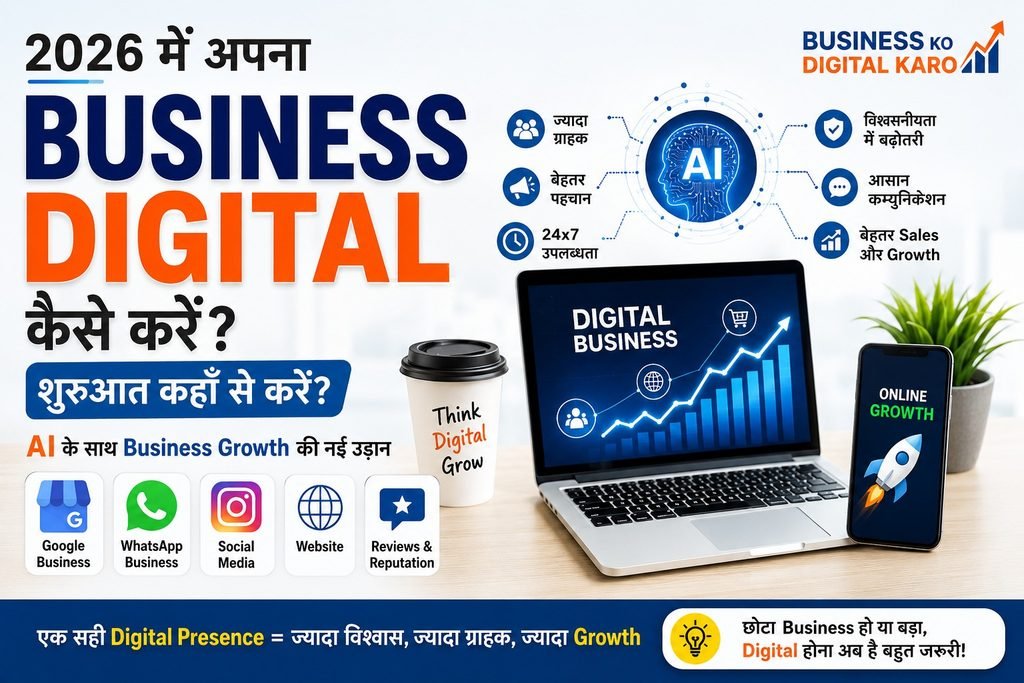
2026 में अपना Business Digital कैसे करें? Beginners के लिए Complete Guide और AI का Role
आज के समय में सिर्फ एक अच्छी दुकान, office या product होना business growth के लिए हमेशा पर्याप्त नहीं है। Customer का तरीका बदल चुका है। जब किसी व्यक्ति को कोई product, service, restaurant, doctor, coaching institute, manufacturer या किसी अन्य business की जरूरत होती है, तो वह अक्सर सबसे पहले online search करता है।
वह Google पर जानकारी ढूंढ सकता है, social media profiles देख सकता है, YouTube पर videos देख सकता है या WhatsApp के माध्यम से business से संपर्क कर सकता है।
यही कारण है कि आज हर छोटे और बड़े business को अपनी Digital Presence के बारे में सोचना चाहिए।
लेकिन सवाल है:
Business को Digital कैसे करें और शुरुआत कहाँ से करें?
इस blog post में हम beginners के लिए एक आसान roadmap समझेंगे।

Business Digitalisation क्या है?
Business को digital करने का मतलब सिर्फ website बनाना नहीं है।
Digitalisation का मतलब है अपने business की जानकारी, products, services, marketing और customer communication को digital platforms के माध्यम से लोगों तक पहुँचाना।
उदाहरण के लिए, यदि आपका कोई showroom, दुकान, clinic, coaching institute या manufacturing business है, तो आपकी digital presence में शामिल हो सकते हैं:
Google पर Business Information
Google Maps Presence
WhatsApp Business
Social Media Profiles
Business Website
Online Product या Service Information
Customer Reviews
Digital Marketing
Online Customer Communication
AI-powered business tools
जब आपका business इन digital माध्यमों पर सही तरीके से मौजूद होता है, तो लोग आपको online discover करना आसान पाते हैं।

आज Business को Digital करना क्यों जरूरी है?
आज customer पहले की तुलना में ज्यादा जानकारी online ढूंढता है।
मान लीजिए किसी व्यक्ति को अपने शहर में कोई अच्छा restaurant चाहिए या किसी product supplier की तलाश है। वह पहले search कर सकता है।
यदि आपका competitor online दिखाई दे रहा है और आपका business नहीं, तो customer तक पहुँचने का एक अवसर कम हो सकता है।
एक अच्छी digital presence business को इन क्षेत्रों में मदद कर सकती है:
ज्यादा Visibility
आपका business सिर्फ अपनी physical location तक सीमित नहीं रहता।
बेहतर जानकारी
Customer आपके products, services, location और अन्य जानकारी आसानी से समझ सकता है।
Trust बनाने में मदद
सही information, photos, customer reviews और professional online presence trust बनाने में सहायक हो सकती है।
आसान Communication
WhatsApp, email, enquiry forms और अन्य digital माध्यमों से customer आसानी से संपर्क कर सकता है।
नए Growth Opportunities
Digital platforms local, national और कुछ businesses के लिए international audience तक पहुँचने के नए अवसर प्रदान कर सकते हैं।

Beginner Business Owner कहाँ से शुरुआत करे?
अगर आप पहली बार अपने business को digital कर रहे हैं, तो एक साथ सब कुछ करने की जरूरत नहीं है।
धीरे-धीरे एक मजबूत foundation बनाइए।
Step 1: अपनी Business Information तैयार करें
सबसे पहले अपने business की basic जानकारी तैयार करें।
इसमें शामिल हो सकते हैं:
Business Name
Logo
सही Address
Mobile Number
WhatsApp Number
Email Address
Products और Services
Business Description
आपकी USP यानी खासियत
अच्छी Photos
Videos
Customer Reviews
यह information आपकी digital identity की foundation होती है।
ध्यान रखें कि अलग-अलग platforms पर business की महत्वपूर्ण जानकारी सही और consistent होनी चाहिए।

Step 2: Google पर अपने Business की Presence बनाइए
आज बहुत से लोग local businesses को search engines और maps के माध्यम से ढूंढते हैं।
इसलिए अपने business की online information को सही और updated रखना महत्वपूर्ण है।
आपको यह सुनिश्चित करना चाहिए कि आपके business की:
सही Category
सही Address
सही Contact Information
सही Business Timing
Products या Services की जानकारी
Photos
Customer Reviews
उपलब्ध और updated हों।
Online information जितनी स्पष्ट होगी, customer के लिए आपके business को समझना उतना आसान हो सकता है।

Step 3: WhatsApp Business का उपयोग करें
WhatsApp आज business communication का एक महत्वपूर्ण माध्यम बन चुका है।
WhatsApp Business का उपयोग करके आप अपने customer communication को बेहतर तरीके से organize कर सकते हैं।
आप इसका उपयोग कर सकते हैं:
Business Profile बनाने के लिए
Product या Service Information देने के लिए
Catalogue share करने के लिए
Quick Replies के लिए
Customer Enquiries manage करने के लिए
Important updates देने के लिए
लेकिन एक बात महत्वपूर्ण है।
Customer को लगातार unnecessary promotional messages भेजने के बजाय useful और relevant communication पर ध्यान देना चाहिए।

Step 4: सही Social Media Platform चुनें
हर business को हर social media platform पर active होने की जरूरत नहीं होती।
पहले यह समझिए कि आपके customers सबसे ज्यादा कहाँ active हैं।
उदाहरण के लिए:
Restaurant
Food photos, menu highlights, customer experience और special offers useful हो सकते हैं।
Coaching Institute
Educational content, faculty information, student achievements और useful guidance share की जा सकती है।
Manufacturer
Manufacturing process, infrastructure, products, quality standards और business capabilities दिखाई जा सकती हैं।
Service Business
अपने expertise, customer problems और solutions से संबंधित content बनाया जा सकता है।
Social Media पर सिर्फ products बेचने की कोशिश करने के बजाय useful information और trust building पर भी ध्यान देना चाहिए।

Step 5: क्या आपके Business को Website चाहिए?
Website हर business के लिए एक जैसी जरूरत नहीं होती, लेकिन कई businesses के लिए यह एक महत्वपूर्ण digital asset हो सकती है।
Social media platforms आपके control में पूरी तरह नहीं होते, लेकिन आपकी website आपके business की अपनी digital property होती है।
एक अच्छी business website में सामान्यतः शामिल हो सकते हैं:
About Business
Products या Services
आपकी खासियत
Photos और Videos
Contact Details
Enquiry Form
WhatsApp संपर्क
Location Information
Customer Testimonials
अगर आपका लक्ष्य अपने शहर के बाहर या पूरे भारत में customers तक पहुँचना है, तो website और भी उपयोगी हो सकती है।

Business Digitalisation के मुख्य फायदे

  1. बेहतर Online Visibility
    लोग आपके business को online discover कर सकते हैं।
  2. 24×7 Information Availability
    Customer अपनी सुविधा के अनुसार आपके products और services के बारे में जानकारी प्राप्त कर सकता है।
  3. Better Customer Communication
    Digital tools customer enquiries और communication को व्यवस्थित करने में मदद कर सकते हैं।
  4. Brand Building
    एक consistent online presence आपके business की पहचान मजबूत करने में मदद कर सकती है।
  5. Marketing Opportunities
    Content, search visibility, social media और other digital marketing activities के माध्यम से नए लोगों तक पहुँचने के अवसर मिल सकते हैं।

AI Business में क्या Role निभा सकती है?
Artificial Intelligence यानी AI तेजी से business के काम करने के तरीके को बदल रही है।
अब केवल बड़ी कंपनियां ही नहीं, बल्कि छोटे और मध्यम businesses भी AI tools का उपयोग कर सकते हैं।
AI का उपयोग कई कामों में किया जा सकता है।
Content Ideas
AI social media posts, blog topics और video ideas generate करने में मदद कर सकती है।
Product Descriptions
E-commerce और product-based businesses product descriptions के शुरुआती drafts तैयार करने के लिए AI का उपयोग कर सकते हैं।
Customer Communication
Frequently asked questions के जवाब और communication templates तैयार किए जा सकते हैं।
Market Research
AI tools नए ideas, customer questions और market-related information को organize करने में मदद कर सकते हैं।
Images और Video Planning
AI creative concepts, scripts, captions और video ideas विकसित करने में सहायता कर सकती है।
लेकिन एक बात हमेशा याद रखें:
AI एक tool है। Final decision, creativity और business understanding इंसान की ही जरूरत होती है।
AI द्वारा बनाई गई information को check और edit करना जरूरी है।

Business Digitalisation की सबसे बड़ी गलती
बहुत से लोग शुरुआत में एक साथ बहुत सारे काम करने लगते हैं।
वे website, Instagram, Facebook, YouTube और paid advertising—सब कुछ एक साथ शुरू कर देते हैं।
लेकिन उनके पास कोई स्पष्ट strategy नहीं होती।
इसलिए शुरुआत में एक simple plan बनाइए।
पहले अपनी business information तैयार करें।
फिर relevant digital platforms चुनें।
फिर useful content बनाना शुरू करें।
फिर customer response को समझें।
और धीरे-धीरे अपनी strategy को improve करें।

Beginners के लिए 30-Day Business Digitalisation Plan
पहले 7 दिन: Foundation तैयार करें
अपने business की पूरी जानकारी, photos, logo, contact details और services को organize करें।
अगले 7 दिन: Digital Presence
अपने business के लिए relevant online profiles और communication channels तैयार करें।
तीसरे 7 दिन: Content बनाइए
अपने business के बारे में useful content तैयार करें।
उदाहरण:
हमारा business क्या करता है?
हमारी खासियत क्या है?
हमारे products कौन-कौन से हैं?
Customers हमें क्यों चुनें?
हमारे industry से जुड़े useful tips
अंतिम 7 दिन: Review और Improvement
देखें कि:
लोग किस प्रकार का response दे रहे हैं?
कौन से questions ज्यादा पूछे जा रहे हैं?
किस content में ज्यादा interest दिखाई दे रहा है?
इन observations के आधार पर अगले महीने की strategy improve करें।

शुरुआत करने के लिए Perfect होने का इंतजार मत कीजिए
बहुत से business owners शुरुआत इसलिए नहीं करते क्योंकि वे perfect logo, perfect website या perfect social media strategy का इंतजार करते रहते हैं।
लेकिन Digital Growth में सबसे महत्वपूर्ण है:
Start करें, सीखें और लगातार Improve करें।
आपको पहले दिन expert बनने की जरूरत नहीं है।
छोटे कदम से शुरुआत कीजिए और धीरे-धीरे अपनी digital presence को मजबूत बनाइए।

निष्कर्ष
आज का सवाल सिर्फ यह नहीं है कि आपका business कितना अच्छा है।
सवाल यह भी है:
क्या आपका business उन लोगों को online दिखाई दे रहा है जिन्हें आपके product या service की जरूरत है?
Business को digital करना एक दिन का काम नहीं है। यह एक continuous journey है।
पहले अपनी digital identity बनाइए।
सही platforms चुनिए।
अपने customers को समझिए।
Useful content तैयार कीजिए।
नई technologies और AI का सही उपयोग कीजिए।
और step-by-step अपने business को digital growth की तरफ ले जाइए।
Business छोटा हो सकता है, लेकिन आपकी Digital सोच छोटी नहीं होनी चाहिए।
Business Ko Digital Karo — सीखिए, समझिए और अपने Business को Digital Growth की तरफ ले जाइए। 🚀

Contact Us

Address: 621, Mukesh Plaza, Near S.S. Dairy, Dadabari, Kota (Raj.)
Call/Whatsapp: 9828036274
Email: Online@kotapride.com
Website:
www.kotapride.com
www.websoftcreation.in
www.kotaprideacademyonline.com

google buisness profile link for kotapride kota: https://maps.app.goo.gl/iWQE5h56qioeXakw5

Follow Us on Social Media:

https://www.facebook.com/kota.pride.3

https://www.facebook.com/digitalmarketingexpertsinkota

https://www.facebook.com/Letsfollowcybersafetytips

https://www.instagram.com/kotapride/https://www.linkedin.com/in/digital-marketing-in-kota-rajasthan-4a8a4616a/

READ MORE
Website Troubleshooting TipskotapridekotaAugust 12, 2026
Share article:TwitterFacebookPinterestLinkedin
34 Views
2 Likes

How to Take a Complete Website Backup from Hostinger – Step-by-Step Guide

How to Take a Complete Website Backup from Hostinger – Step-by-Step Guide

How to Take a Complete Website Backup from Hostinger – Step-by-Step Guide

If your website is hosted on Hostinger, you can create a backup of your website files and database using the hosting control panel.

In this guide, we will explain how to take a complete website backup from Hostinger step by step, even if you are a beginner. Why Should You Take a Website Backup?

Regular backups can protect you from many unexpected problems.

Common situations where a backup can help:
Website gets hacked
Important files are accidentally deleted
WordPress update causes an error
Plugin or theme creates a conflict
Website migration is required
Hosting account needs to be changed
Database gets corrupted
Developer accidentally changes important code
Website needs to be restored to an earlier version

A good rule is:

Before making major changes to your website, always take a fresh backup. What Do You Need for a Complete Backup?

Before starting, you should have:

Access to your Hostinger account
Access to your website’s hosting
Access to File Manager
Access to the website database
Enough storage space on your computer

You will ultimately have two important backup files:

Website Files: .zip

Database: .sql

Keep both files safely.

Step 1: Log in to Hostinger

First, log in to your Hostinger account.

After logging in:

Open your Hostinger account.
Go to Websites.
Find the website you want to back up.
Click Manage.

You should now see the management area for your website.

Step 2: Open File Manager

The next step is to create a backup of your website files.

From your website’s Hostinger dashboard:

Find File Manager.
Open File Manager.
Locate the folder where your website files are stored.

For many websites, this will be:

public_html

Your website’s exact folder structure can vary depending on your hosting setup.

Step 3: Select Your Website Files

Open the public_html folder.

You will see your website files and folders.

For example, a WordPress website may contain folders such as:

wp-admin
wp-content
wp-includes

and files such as:

index.php
wp-config.php
.htaccess

Select the files and folders that belong to your website.

Important

Make sure you are backing up the correct website directory.

If you host multiple websites in the same hosting account, don’t accidentally download another website’s files.

Step 4: Compress the Website Files

Instead of downloading hundreds or thousands of files individually, it is much easier to compress them into one ZIP file.

In File Manager:

Select the website files/folder.
Choose the Compress/Archive option.
Select ZIP format.
Give the backup a meaningful name.

For example:

website-backup-2026-08-12.zip

Using the date in the filename makes it easier to identify older backups.

Wait for the compression process to finish.

Step 5: Download the ZIP File

Once the ZIP file has been created:

Select the ZIP file.
Choose Download.
Save it somewhere safe on your computer.

You now have a backup of your website files.

However, the backup is not complete yet.

You still need to back up your database.

Step 6: Find Your Website Database

For a WordPress or PHP website, you will usually need to export the MySQL database.

You can identify the database information from your website configuration.

For WordPress, open:

wp-config.php

Look for database settings such as:

define(‘DB_NAME’, ‘your_database_name’);
define(‘DB_USER’, ‘your_database_user’);

Do not share your database password publicly.

The exact database-management options available in Hostinger can vary depending on your hosting plan and current hPanel interface.

Step 7: Open phpMyAdmin

From your Hostinger dashboard, go to the database section and open phpMyAdmin for the relevant database.

You may see multiple databases if your hosting account contains multiple websites.

Make sure you select the database belonging to the correct website.

Step 8: Export the Database

After opening the correct database in phpMyAdmin:

Select the database.
Go to the Export option.
Choose the appropriate export method.
Select SQL as the format.
Start the export.

The database will be downloaded to your computer as an SQL file.

For example:

website-database-2026-08-12.sql

This SQL file contains the database information needed for restoration or migration.

Step 9: Check Your Backup

Now you should have at least two important files:

website-backup-2026-08-12.zip
website-database-2026-08-12.sql Thanks and Regards www.kotapride.in www.digitalmarketingkota.in

Contact Detail

Call/Whatapp: 9828036274
Website: www.kotapride.com, www.kotaprideacademyonline.com

google buisness profile link for kotapride kota: https://maps.app.goo.gl/iWQE5h56qioeXakw5

READ MORE
Digital Marketing ServiceskotapridekotaJuly 8, 2026
Share article:TwitterFacebookPinterestLinkedin
38 Views
1 Like

What Is Local SEO? Complete Guide for Small Businesses in 2026

What Is Local SEO?

If you own a local business, you’ve probably searched for services like “SEO company near me,” “best digital marketing agency,” or “plumber near me.” The businesses that appear at the top of Google have usually invested in Local SEO.

Local SEO (Local Search Engine Optimization) is the process of improving your online presence so your business appears in local search results on Google and other search engines. Whether you run a restaurant, clinic, law firm, real estate agency, retail shop, or service business, Local SEO helps potential customers find you when they’re searching for products or services in your area.

As more people rely on smartphones to find nearby businesses, Local SEO has become one of the most effective digital marketing strategies for attracting qualified leads.


Why Is Local SEO Important?

People searching for local businesses are often ready to make a purchase or contact a service provider. Ranking higher in local search results increases your visibility and helps you reach customers at the right time.

Benefits of Local SEO include:

  • Increased website traffic
  • More phone calls and inquiries
  • Higher-quality local leads
  • Improved Google Maps visibility
  • Greater brand credibility
  • Better return on investment than many traditional advertising methods
  • Long-term growth through organic search

How Does Local SEO Work?

Google evaluates several factors before deciding which businesses appear in local search results. These include:

1. Relevance

Your business profile and website should clearly explain what products or services you offer.

2. Distance

Google considers how close your business is to the person performing the search.

3. Prominence

Businesses with strong reviews, authoritative websites, quality backlinks, and an active online presence are more likely to rank well.


Key Components of Local SEO

1. Google Business Profile Optimization

Your Google Business Profile is one of the most important assets for Local SEO.

Best practices include:

  • Complete every business detail
  • Select accurate business categories
  • Add high-quality photos
  • Publish regular updates
  • Respond to customer reviews
  • Keep business hours current
  • Add products and services

2. Keyword Research

Target keywords that include your services and location.

Examples:

  • SEO Company in Kota
  • Local SEO Services
  • Digital Marketing Agency in Kota
  • Website SEO Services
  • Google Business Profile Optimization
  • Technical SEO Company

Use keywords naturally throughout your content instead of overusing them.


3. On-Page SEO

Every important page should include:

  • A unique title tag
  • A compelling meta description
  • One clear H1 heading
  • Descriptive H2 and H3 headings
  • Internal links to related pages
  • Optimized images with descriptive alt text
  • Relevant keywords written naturally

4. Create Location-Specific Pages

If your business serves multiple cities, create dedicated pages for each location.

For example:

  • SEO Services in Kota
  • SEO Services in Jaipur
  • SEO Services in Udaipur
  • SEO Services in Delhi

Each page should provide unique, location-specific information rather than duplicating content.


5. Build High-Quality Backlinks

Backlinks from reputable websites help search engines view your site as trustworthy.

Consider earning links through:

  • Industry directories
  • Guest articles
  • Business partnerships
  • Local organizations
  • News coverage
  • Helpful resources that others naturally reference

Focus on quality rather than quantity.


6. Encourage Customer Reviews

Positive reviews influence both rankings and customer decisions.

Ask satisfied customers to leave honest reviews and respond professionally to all feedback, including negative reviews.


7. Improve Website Speed

Fast-loading websites provide a better user experience and can support SEO performance.

Ways to improve speed include:

  • Compress images
  • Use modern image formats
  • Minify CSS and JavaScript
  • Enable browser caching
  • Choose reliable hosting
  • Remove unnecessary plugins

8. Mobile Optimization

Most local searches happen on mobile devices.

Your website should:

  • Load quickly
  • Be responsive
  • Have readable text
  • Offer easy navigation
  • Include click-to-call buttons
  • Make contact forms simple to complete

Common Local SEO Mistakes

Avoid these issues:

  • Duplicate content
  • Missing meta descriptions
  • Broken links
  • Slow page speed
  • Inconsistent business information across directories
  • Ignoring customer reviews
  • Keyword stuffing
  • Thin service pages
  • Poor internal linking
  • Outdated business details

Local SEO Best Practices for 2026

To stay competitive:

  • Publish useful blog content regularly.
  • Keep your Google Business Profile updated.
  • Build high-quality backlinks.
  • Improve website performance.
  • Add structured data where appropriate.
  • Create location-focused content.
  • Strengthen internal linking.
  • Monitor rankings and traffic.
  • Update older content with fresh information.

How Long Does Local SEO Take?

Local SEO is an ongoing process. Many businesses begin seeing improvements within three to six months, although the timeline depends on factors such as competition, website quality, and the consistency of optimization efforts.

The businesses that continue publishing valuable content and improving their websites are generally better positioned for long-term success.


Conclusion

Local SEO is one of the most effective ways to grow a business online. By optimizing your website, maintaining an accurate Google Business Profile, creating helpful content, and building trust with customers, you can increase your visibility in local search results and attract more qualified leads over time.

Rather than looking for quick wins, focus on delivering value to your audience and maintaining your website consistently. That approach is more likely to produce sustainable results.


Frequently Asked Questions (FAQ)

1. What is Local SEO?

Local SEO is the process of optimizing a business’s online presence so it appears in local search results when people search for nearby products or services.

2. Why is Local SEO important?

It helps local businesses attract nearby customers, increase website traffic, generate more inquiries, and improve visibility in Google Search and Google Maps.

3. How long does Local SEO take?

Results vary depending on competition and your starting point, but many businesses begin seeing measurable improvements within three to six months.

4. Is Local SEO suitable for small businesses?

Yes. Local SEO is especially valuable for small businesses because it helps them compete for customers in their service area.

5. What is a Google Business Profile?

A Google Business Profile is a free business listing that allows your company to appear in Google Search and Google Maps with important information such as your address, phone number, business hours, and customer reviews.

6. Do customer reviews help Local SEO?

Yes. Genuine customer reviews can improve trust and may contribute to stronger local visibility, especially when businesses respond professionally to feedback.

7. How often should I update my website?

Review and update your website regularly by publishing new content, refreshing existing pages, and ensuring business information remains accurate.

8. What are local keywords?

Local keywords combine a service or product with a location, such as “SEO Company in Kota” or “Digital Marketing Agency in Jaipur.”

9. Can I do Local SEO myself?

You can implement many Local SEO best practices yourself, but working with experienced professionals may help you address technical issues, develop a stronger strategy, and save time.

10. Why should I invest in Local SEO?

Local SEO helps connect your business with people who are actively searching for the products or services you offer, making it one of the most effective long-term digital marketing strategies for many local businesses.


Need Professional Local SEO Services?

If you’re looking to improve your local search visibility, attract more qualified leads, and grow your business online, ISM Web SEO can help with Local SEO, Technical SEO, On-Page SEO, Google Business Profile optimization, and customized digital marketing strategies tailored to your business goals. Contact us today to discuss how we can support your growth.

READ MORE
Digital Marketing TipskotapridekotaMay 28, 2026
Share article:TwitterFacebookPinterestLinkedin
39 Views
2 Likes

Google Blog Kaise Banaye – Complete Beginner Guide 2026

Google Blog Kaise Create Kare? – Beginners Guide 2026

आज के डिजिटल समय में हर व्यक्ति अपना ज्ञान, business, hobby या जानकारी लोगों तक पहुँचाना चाहता है। इसके लिए Google Blog एक बहुत अच्छा और free platform है। अगर आप भी अपना blog बनाकर दुनिया तक पहुँचना चाहते हैं, तो यह guide आपके लिए है।

Google Blog Kya Hai?

Google Blog का मतलब है Google के platform Blogger.com पर बनाया गया ब्लॉग। यह Google की free blogging service है जहाँ आप बिना coding के आसानी से blog website बना सकते हैं।

इससे आप:

  • Articles लिख सकते हैं
  • Business promote कर सकते हैं
  • Online earning शुरू कर सकते हैं
  • Knowledge share कर सकते हैं
  • Google Search में आ सकते हैं

Google Blog Create Karne Ke Steps

1. Google Account Banaye

सबसे पहले आपके पास Gmail account होना चाहिए।

अगर Gmail नहीं है तो Google account create करें।

2. Blogger Website Open Kare

अपने browser में जाएँ और Blogger.com खोलें।

3. Sign In Kare

अपने Gmail ID और password से login करें।

4. “Create New Blog” Par Click Kare

अब आपको नया blog बनाने का option मिलेगा।

5. Blog Ka Name Likhe

अपने blog का अच्छा और आसान नाम रखें।

Example:

  • Digital Marketing Tips
  • Kota Travel Guide
  • Food Recipes Blog
  • Technology Updates

6. Blog URL Choose Kare

अब अपने blog का address चुनें।

Example:
yourblogname.blogspot.com

यह unique होना चाहिए।

7. Theme Select Kare

Google Blogger में कई free themes मिलती हैं। अपनी पसंद की theme select करें।

8. First Blog Post Likhe

अब “New Post” पर click करें और अपना पहला article लिखें।

Blog Post Kaise Likhe?

एक अच्छा blog post हमेशा:

  • Simple language में होना चाहिए
  • Useful information देना चाहिए
  • Proper heading use करनी चाहिए
  • Images add करनी चाहिए
  • SEO keywords use करने चाहिए

Logo Tak Blog Kaise Pahuchaye?

1. SEO Kare

अपने blog में सही keywords use करें ताकि Google Search में आपका blog दिखाई दे।

2. Social Media Share Kare

Facebook, WhatsApp, Instagram, Telegram पर अपने blog links share करें।

3. Regular Content Dale

हर week नए blog posts डालें।

4. Attractive Title Use Kare

ऐसा title रखें जिसे लोग click करना चाहें।

Example:

  • “Free Me Blog Kaise Banaye?”
  • “2026 Me Blogging Se Paise Kaise Kamaye?”

5. Images Aur Videos Use Kare

Visual content लोगों को ज्यादा attract करता है।

Google Blog Ke Benefits

  • Free website
  • Easy to use
  • Google support
  • Mobile friendly
  • SEO friendly

Important Tips For Beginners

  • Copy-paste content ना करें
  • Original content लिखें
  • Daily सीखते रहें
  • Patience रखें
  • SEO सीखें
  • Long-term work करें

Conclusion

Google Blog create करना बहुत आसान है और यह online identity बनाने का शानदार तरीका है। अगर आप regular और quality content डालते हैं तो आपका blog Google Search में rank कर सकता है और लाखों लोगों तक पहुँच सकता है।

आज ही अपना Google Blog शुरू करें और अपनी knowledge दुनिया तक पहुँचाएँ।

Thanks & Regards,

Sunil Chawla
Digital Marketing CEO | Kotapride

📞 Mobile: +91 9828036274
📧 Email: online@kotapride.com

🌐 Websites:
www.kotapride.in
www.kotapride.com

📍 Office Address:
621, Mukesh Plaza, Near SS Dairy, Dadabari, Kota, Rajasthan – 324009

🔗 Follow Us on Social Media:

Facebook: https://www.facebook.com/kota.pride.3
Instagram: https://www.instagram.com/kota.pride/
LinkedIn: https://www.linkedin.com/in/magical-marketingkota-25a22b282/

🚀 Digital Marketing | SEO | Social Media | Website Development | Online Promotion

READ MORE
Digital Marketing TipskotapridekotaMay 28, 2026
Share article:TwitterFacebookPinterestLinkedin
44 Views
3 Likes

YouTube Channel Create Karne Ka Easy Tarika 2026

YouTube Channel Kaise Create Kare – Beginner Tips for Success

आज के digital समय में YouTube एक बहुत बड़ा platform बन चुका है जहाँ लोग videos बनाकर अपना talent दिखा रहे हैं, business promote कर रहे हैं और income भी earn कर रहे हैं। अगर आप भी YouTube Channel शुरू करना चाहते हैं, तो यह guide आपके लिए है।

YouTube Channel Kya Hai?

YouTube Channel एक online video platform profile होती है जहाँ आप अपने videos upload कर सकते हैं। इसके जरिए आप दुनिया भर के लोगों तक पहुँच सकते हैं।


YouTube Channel Create Karne Ke Simple Steps

1. Google Account Banaye

YouTube Channel बनाने के लिए सबसे पहले आपके पास Google Account होना चाहिए।

  • Gmail account login करें
  • YouTube website open करें
  • Profile icon पर click करें
  • “Create Channel” option चुनें

2. Channel Name Select Kare

ऐसा नाम रखें जो:

  • याद रखने में आसान हो
  • आपके content से related हो
  • Unique और professional लगे

Example:

  • Tech Tips India
  • Kota Food Vlogs
  • Digital Marketing Guide

3. Channel Logo Aur Banner Lagaye

एक अच्छा logo और attractive banner आपके channel को professional look देता है।

Tips:

  • Clear image use करें
  • Channel theme match होना चाहिए
  • Bright colors और simple design रखें

4. About Section Complete Kare

About section में अपने channel की जानकारी लिखें।

Example:
“इस channel पर आपको Digital Marketing, YouTube Tips और Online Earning से जुड़ी videos मिलेंगी।”


5. Regular Videos Upload Kare

Success के लिए consistency बहुत जरूरी है।

Video Ideas:

  • Tutorials
  • Vlogs
  • Tips & Tricks
  • Product Reviews
  • Educational Content

YouTube Channel Grow Karne Ki Tips

1. SEO Friendly Title Use Kare

Video title ऐसा रखें जो लोग search करते हैं।

Example:

  • YouTube Channel Kaise Banaye
  • YouTube Se Paise Kaise Kamaye

2. Attractive Thumbnail Banaye

Thumbnail viewers को click करने के लिए attract करता है।

Tips:

  • Bold text use करें
  • Clear face image रखें
  • Bright colors use करें

3. Keywords Aur Hashtags Use Kare

Description और tags में सही keywords डालें।

Example Hashtags:
#YouTubeTips
#YouTubeChannel
#DigitalMarketing
#OnlineEarning
#VideoMarketing


4. Audience Se Connect Kare

Comments का reply दें और viewers से feedback लें।


5. Social Media Par Share Kare

अपने videos को:

  • WhatsApp
  • Facebook
  • Instagram
  • Telegram
    पर share करें।

YouTube Channel Se Paise Kaise Kamaye?

जब आपके:

  • 1000 Subscribers
  • 4000 Watch Hours
    complete हो जाते हैं, तब आप YouTube Monetization के लिए apply कर सकते हैं।

Income Sources:

  • Google Ads
  • Sponsorship
  • Affiliate Marketing
  • Product Promotion

Conclusion

YouTube Channel बनाना आसान है लेकिन successful बनने के लिए मेहनत, creativity और consistency जरूरी है। अगर आप regular अच्छे videos बनाएंगे और सही तरीके से promotion करेंगे, तो आपका channel जल्दी grow हो सकता है।

आज ही अपना YouTube Channel शुरू करें और अपनी पहचान online बनाएं।

Thanks & Regards,

Sunil Chawla
Digital Marketing CEO | Kotapride

📞 Mobile: +91 9828036274
📧 Email: online@kotapride.com

🌐 Websites:
www.kotapride.in
www.kotapride.com

📍 Office Address:
621, Mukesh Plaza, Near SS Dairy, Dadabari, Kota, Rajasthan – 324009

🔗 Follow Us on Social Media:

Facebook: https://www.facebook.com/kota.pride.3
Instagram: https://www.instagram.com/kota.pride/
LinkedIn: https://www.linkedin.com/in/magical-marketingkota-25a22b282/

🚀 Digital Marketing | SEO | Social Media | Website Development | Online Promotion

#YouTubeTips, #YouTubeChannel, #YouTubeChannelKaiseBanaye, #YouTubeGrowth, #YouTubeSEO, #YouTubeMarketing, #YouTubeMonetization, #YouTubeSubscribers, #WatchTime, #DigitalMarketing, #OnlineEarning, #VideoMarketing, #YouTubeHindi, #ContentCreator, #YouTubeCreator,

READ MORE
Performance Marketing CoursekotapridekotaMay 18, 2026
Share article:TwitterFacebookPinterestLinkedin
54 Views
5 Likes

Performance Marketing Course Syllabus By Kotapride

Complete Performance Marketing Course in Kota – Learn Facebook & Google Ads with Live Projects

In today’s digital world, businesses are shifting rapidly from traditional marketing to result-driven online advertising. Whether you are a student, freelancer, business owner, or job seeker, learning Performance Marketing can open the door to high-income opportunities, freelancing, and business growth.

Kotapride brings you a Complete Performance Marketing Course designed to teach you everything from basic digital marketing concepts to advanced advertising strategies using Facebook Ads, Instagram Ads, Google Ads, Lead Generation, Retargeting, Funnel Building, and much more.

If you want to become a skilled Digital Marketer and generate real business results, this course is the perfect starting point.


Course Duration & Fees

  • Course Duration: 2 Months 15 Days (2.5 Months)
  • Course Fees: ₹29,999/-
  • Mode: Online / Offline
  • Training Type: Practical + Live Projects
  • Suitable For: Students, Business Owners, Freelancers & Job Seekers

Why Learn Performance Marketing?

Performance Marketing is one of the fastest-growing skills in the digital industry because businesses only pay when they get measurable results like:

  • Clicks
  • Leads
  • Sales
  • Website Traffic
  • Form Submissions

Unlike traditional marketing, performance marketing allows businesses to track every rupee spent and optimize campaigns for maximum ROI.

Benefits of Performance Marketing

  • Low-budget advertising options
  • Real-time campaign tracking
  • Exact audience targeting
  • Faster business growth
  • High return on investment (ROI)
  • Scalable lead generation

What You Will Learn in This Course

This course is specially designed to provide practical training with real-world projects. You will learn:

1. Introduction to Performance Marketing

  • Fundamentals of digital advertising
  • Traditional vs digital marketing
  • Understanding marketing funnels
  • How performance-based advertising works

2. Digital Marketing Basics

Learn important marketing terms such as:

  • Impression
  • Reach
  • CTR
  • CPC
  • Conversion
  • Engagement
  • ROI

CTR Formula:
CTR=ClicksImpressions×100CTR = \frac{Clicks}{Impressions} \times 100CTR=ImpressionsClicks​×100

CPC Formula:
CPC=Total SpendTotal ClicksCPC = \frac{Total\ Spend}{Total\ Clicks}CPC=Total ClicksTotal Spend​


Facebook & Instagram Ads Training

You will learn how to run high-converting ads using Meta platforms.

Topics Covered:

  • Facebook Business Manager Setup
  • Ad Account Creation
  • Meta Pixel Setup
  • Instagram Integration
  • Audience Targeting
  • Lookalike Audiences
  • Retargeting Campaigns
  • Lead Generation Ads
  • WhatsApp Ads

Ad Objectives You Will Learn

  • Awareness Campaigns
  • Traffic Campaigns
  • Engagement Ads
  • Lead Generation Ads
  • Sales Campaigns

Google Ads Mastery

Learn to run profitable campaigns using Google Ads.

Google Ads Types Covered

  • Search Ads
  • Display Ads
  • YouTube Ads
  • Shopping Ads

Keyword Research Training

You will learn:

  • Broad Match Keywords
  • Phrase Match Keywords
  • Exact Match Keywords
  • Competitor Keyword Research
  • Keyword Planning Strategies

Landing Page Optimization

A successful ad campaign depends heavily on a good landing page.

You Will Learn:

  • High-converting landing page design
  • CTA optimization
  • Mobile-friendly layouts
  • Form optimization
  • Trust-building elements
  • Fast-loading page techniques

Lead Generation Training

Lead generation is one of the most important skills for agencies and businesses.

Platforms Covered

  • Facebook Lead Ads
  • Google Search Ads
  • LinkedIn Ads
  • WhatsApp Marketing

Lead Magnet Ideas

  • Free Ebook
  • Discount Coupons
  • Free Consultation
  • Free Demo
  • Price Lists

Pixel & Tracking Setup

Tracking helps advertisers measure campaign success.

Topics Covered

  • Meta Pixel Setup
  • Conversion Tracking
  • Retargeting Setup
  • Audience Building
  • Event Tracking

You will also learn website tracking using Google Analytics.


E-commerce Performance Marketing

This module focuses on scaling online stores and e-commerce businesses.

Learn:

  • Product Funnel Strategy
  • Add-to-Cart Campaigns
  • Purchase Optimization
  • Dynamic Product Ads
  • Customer Retargeting

Platforms Covered

  • Shopify
  • WooCommerce
  • Amazon

Advanced Performance Marketing Topics

Advanced modules include:

  • Conversion API
  • Funnel Building
  • AI Creatives
  • Email Funnels
  • CRM Integration
  • Marketing Automation
  • WhatsApp Automation
  • Lookalike Scaling

Important Marketing KPIs

ROAS Formula:
ROAS=RevenueAd SpendROAS = \frac{Revenue}{Ad\ Spend}ROAS=Ad SpendRevenue​

Conversion Rate Formula:
Conversion Rate=ConversionsVisitors×100Conversion\ Rate = \frac{Conversions}{Visitors} \times 100Conversion Rate=VisitorsConversions​×100

CPL Formula:
CPL=Total SpendTotal LeadsCPL = \frac{Total\ Spend}{Total\ Leads}CPL=Total LeadsTotal Spend​


Freelancing & Agency Setup

This course also helps you build a career in freelancing and agency services.

Freelancing Platforms

  • Fiverr
  • Upwork
  • Freelancer
  • LinkedIn

Services You Can Offer

  • Facebook Ads Management
  • Google Ads Services
  • Lead Generation
  • Social Media Marketing
  • WhatsApp Marketing

Who Should Join This Course?

This course is ideal for:

  • Students
  • Freelancers
  • Job Seekers
  • Startup Owners
  • Business Owners
  • Marketing Professionals
  • Agency Owners

Why Choose Kotapride Performance Marketing Course?

Key Benefits:

  • 100% Practical Training
  • Live Projects & Real Case Studies
  • Industry Expert Trainers
  • Step-by-Step Learning
  • Online & Offline Classes
  • Lifetime Support & Guidance
  • Certificate of Completion
  • Freelancing Guidance
  • Real Business Examples

Career Opportunities After This Course

After completing this course, you can:

  • Work as a Performance Marketer
  • Start Freelancing
  • Launch Your Own Agency
  • Handle Client Ads
  • Generate Business Leads
  • Scale E-commerce Brands
  • Earn High Income Online

Performance Marketing is one of the most powerful digital skills in today’s online business world. With proper learning, testing, and consistency, you can build a successful career and grow businesses effectively.


Contact Us

Kotapride Academy
Address: 621, Mukesh Plaza, Near S.S. Dairy, Dadabari, Kota (Raj.)
Call/WhatsApp: 9828036274
Website: www.kotapride.com
Website: www.kotaprideacademyonline.com

Frequently Asked Questions (FAQ) – Complete Performance Marketing Course

1. What is Performance Marketing?

Performance Marketing is a digital marketing strategy where advertisers pay only when they get measurable results like clicks, leads, sales, or conversions.


2. Who can join this course?

This course is suitable for:

  • Students
  • Business Owners
  • Freelancers
  • Job Seekers
  • Startup Owners
  • Marketing Professionals

3. Do I need any technical background to join?

No. This course starts from basic concepts and gradually moves to advanced performance marketing strategies.


4. What is the course duration?

The course duration is 2 Months 15 Days (2.5 Months).


5. What is the course fee?

The course fee is ₹29,999/-.


6. Is the course available online and offline?

Yes, the course is available in both:

  • Online Mode
  • Offline Classroom Training

7. Will I get practical training?

Yes. This course is completely practical and includes:

  • Live Campaigns
  • Real Projects
  • Case Studies
  • Hands-on Ad Setup

8. Which platforms will I learn in this course?

You will learn:

  • Facebook Ads
  • Instagram Ads
  • Google Ads
  • YouTube Ads
  • WhatsApp Marketing
  • Google Analytics
  • Meta Pixel

9. Will I learn Lead Generation?

Yes. You will learn:

  • Facebook Lead Ads
  • Google Lead Campaigns
  • WhatsApp Lead Generation
  • Landing Page Optimization
  • Funnel Building

10. Does the course include Google Ads training?

Yes. Complete Google Ads training is included:

  • Search Ads
  • Display Ads
  • YouTube Ads
  • Shopping Ads
  • Keyword Research

11. Will I learn Meta (Facebook & Instagram) Ads?

Yes. You will learn:

  • Business Manager Setup
  • Audience Targeting
  • Pixel Setup
  • Retargeting
  • Lead Ads
  • Conversion Campaigns

12. Will I get a certificate after course completion?

Yes, you will receive a Certificate of Completion after successfully finishing the course.


13. Can I start freelancing after this course?

Yes. The course includes freelancing guidance for platforms like:

  • Fiverr
  • Upwork
  • Freelancer
  • LinkedIn

14. Can business owners join this course?

Absolutely. Business owners can learn how to:

  • Generate Leads
  • Increase Sales
  • Run Ads
  • Scale Their Business Online

15. Will I learn how to create high-converting ads?

Yes. You will learn:

  • Ad Copywriting
  • Creative Design Tips
  • Video Ad Strategy
  • CTA Optimization
  • A/B Testing

16. What tools will I learn?

You will work with tools like:

  • Canva
  • Google Ads
  • Meta Ads Manager
  • Google Analytics
  • Tag Manager
  • SEMrush
  • Zapier

17. Is support available after course completion?

Yes. You will get:

  • Lifetime Support
  • Guidance
  • Doubt Solving Assistance

18. Will real business examples be covered?

Yes. The course includes real business case studies including:

  • Local Business Marketing
  • E-commerce Campaigns
  • International Lead Generation

19. Can I run ads for clients after this course?

Yes. After completing the course, you can confidently manage advertising campaigns for clients and businesses.


20. How can I contact for admission or inquiry?

Call/WhatsApp: 9828036274
Website: www.kotapride.com
Website: www.kotaprideacademyonline.com

READ MORE
  • 1
  • 2

Recent Posts

  • AI – The Magic Lamp of Today: How to Use Artificial Intelligence Wisely, Creatively and Safely
  • 43 Google Tools and AI Tools Every Student, Business Owner & Entrepreneur Should Know
  • Master Digital Marketing with AI – Professional Skill Course
  • Learn Digital Skills, Build Your Career and Stay Safe on the Internet
  • How to Digitize Your Business in 2026: A Complete Beginner’s Guide to Digital Growth and AI

Recent Comments

No comments to show.

Archives

  • September 2026
  • August 2026
  • July 2026
  • May 2026
  • March 2026
  • February 2026
  • November 2025
  • August 2025
  • June 2025
  • February 2025
  • December 2024
  • September 2024
  • February 2024

Categories

  • Cyber Security Tips
  • Digital Kota
  • Digital Marketing & Business Growth
  • Digital Marketing Services
  • Digital Marketing Skill Courses
  • Digital Marketing Tips
  • Google Ads Skill Course
  • kotapride tips
  • Kotapride Vision
  • Performance Marketing Course
  • Social Media Marketing (SMM Skill Course
  • social media tips
  • Sunil Chawla Digital Marketer
  • Tips for best marketing
  • Uncategorized
  • Website Troubleshooting Tips
logotype
Kotapride Academy Online, we offer a wide range of courses designed to cater to the diverse needs of students and entrepreneurs. Whether you’re a beginner or an experienced professional.
FacebookInstagramLinkedin

Useful links

Home

About Us

Courses

Contact

Blog

Learning Material

Digital Marketing Social Site Marketing SEO Website Development

Contact Us

621, Mukesh Plaza 1st Floor, Dadabari Kota Rajasthan 324009
+91 9828036274
webtrafficbooster8@gmail.com
© Copyright 2023 Kotapride Academy Online. All rights reserved.